

GIGABYTE NVIDIA GeForce GTX 460 1024MB DDR5 SLI Review
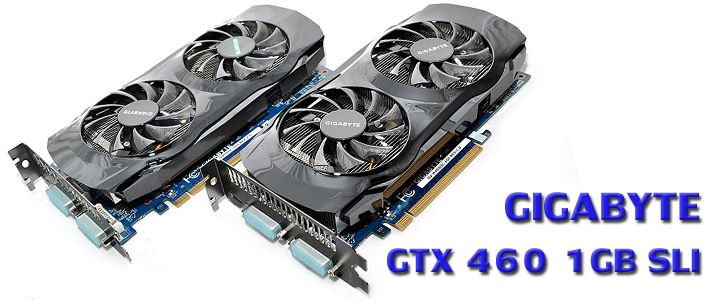
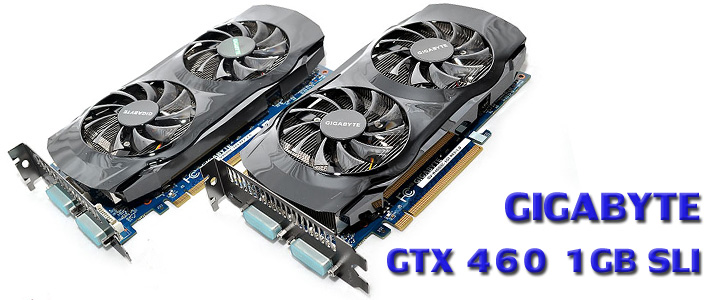 ...สวัสดีครับ วันนี้ก็มาตามสัญญานะครับ กับ GIGABYTE NVIDIA GeForce GTX 460 1024MB DDR5 ที่มากันในรูปแบบ SLI หลังจากที่เมื่อวานได้ชมบทความ GIGABYTE NVIDIA GeForce GTX 460 1024MB DDR5 Review ที่มากันในรูปแบบการ์ดเดี่ยวไปแล้ว สำหรับในช่วงเกริ่นนำ ขอเอาหนังเก่าความเดิมตอนที่แล้วมาฉายซ้ำอีกรอบนะครับ เผื่อใครไม่อยากย้อนกับไปดูรายละเอียดต่างๆของเก่าของเมื่อวาน ไปชมรายละเอียดต่างๆกันก่อนเลยครับ
.
Overview
...สวัสดีครับ วันนี้ก็มาตามสัญญานะครับ กับ GIGABYTE NVIDIA GeForce GTX 460 1024MB DDR5 ที่มากันในรูปแบบ SLI หลังจากที่เมื่อวานได้ชมบทความ GIGABYTE NVIDIA GeForce GTX 460 1024MB DDR5 Review ที่มากันในรูปแบบการ์ดเดี่ยวไปแล้ว สำหรับในช่วงเกริ่นนำ ขอเอาหนังเก่าความเดิมตอนที่แล้วมาฉายซ้ำอีกรอบนะครับ เผื่อใครไม่อยากย้อนกับไปดูรายละเอียดต่างๆของเก่าของเมื่อวาน ไปชมรายละเอียดต่างๆกันก่อนเลยครับ
.
Overview


| Series | GeForce 400 Series |
| Chipset | GeForce GTX 460 |
| Key Features | UDV |
| Core Clock | 715 MHz |
| Shader Clock | 1430 MHz |
| Memory Clock | 3600 MHz |
| Memory Type | GDDR5 |
| DirectX | 11 |
| D-sub | Yes (By Adapter) |
| DVI | Yes |
| Multi-GPU | 2-way SLI |
| HDMI | Yes |
| DisplayPort | NA |
More Information >>Click<<
.
ตามด้วยตารางเปรียบเทียบสเป็คคร่าวๆกับการ์ดรุ่นอื่นๆกันต่อเลยครับ
| GeForce GTX 460 | Radeon HD 5830 | GeForce GTX 465 | Radeon HD 5850 | GeForce GTX 470 | Radeon HD 5870 | GeForce GTX 480 | Radeon HD 5970 | |
| Shader units | 336 | 1120 | 352 | 1440 | 448 | 1600 | 480 | 2x 1600 |
| ROPs | 32 | 16 | 32 | 32 | 40 | 32 | 48 | 2x 32 |
| GPU | GF104 | Cypress | GF100 | Cypress | GF100 | Cypress | GF100 | 2x Cypress |
| Transistors | 3200M | 2154M | 3200M | 2154M | 3200M | 2154M | 3200M | 2x 2154M |
| Memory Size | 768 MB | 1024 MB | 1024 MB | 1024 MB | 1280 MB | 1024 MB | 1536 MB | 2x 1024 MB |
| Memory Bus Width | 192 bit | 256 bit | 256 bit | 256 bit | 320 bit | 256 bit | 384 bit | 2x 256 bit |
| Core Clock | 675 MHz | 800 MHz | 607 MHz | 725 MHz | 607 MHz | 850 MHz | 700 MHz | 725 MHz |
| Memory Clock | 900 MHz | 1000 MHz | 802 MHz | 1000 MHz | 837 MHz | 1200 MHz | 924 MHz | 1000 MHz |
| Price | $199 | $230 | $289 | $310 | $349 | $400 | $499 | $630 |
...การ์ดตัวนี้จะดีไซด์ไม่เป็นไปตามมาตรฐานของ NVIDIA นะครับ ก็คือจากแรม 768MB 192-bit จะถูกเพิ่มเป็น 1,024MB 256-bit แทน และถูกเพิ่มความเร็วขึ้นมาอีกเล็กน้อยจาก 675/1,350/3,600MHz มาเป็น 715/1,430/3,600MHz นะครับ และหน้าถัดไปก็ไปชมตัวการ์ดกันต่อเลยครับ
.
Package
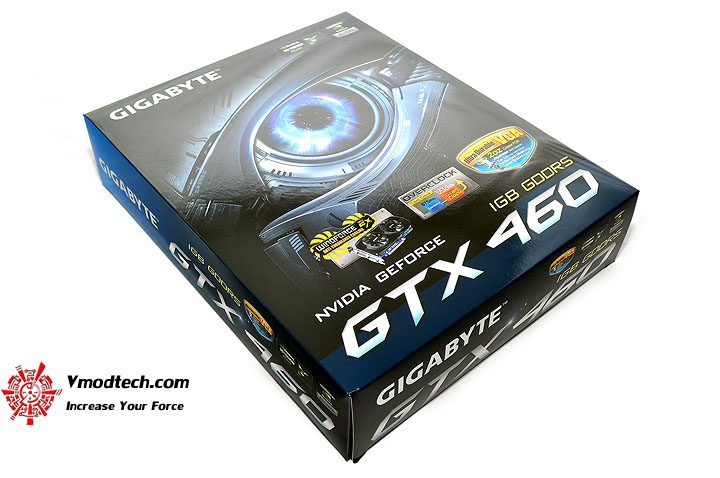
หน้าตากล่องด้านหน้าครับ พิมพ์ 4สีออฟเซตสวยงามกันไปตามสไตล์ GIGABYTE ครับ
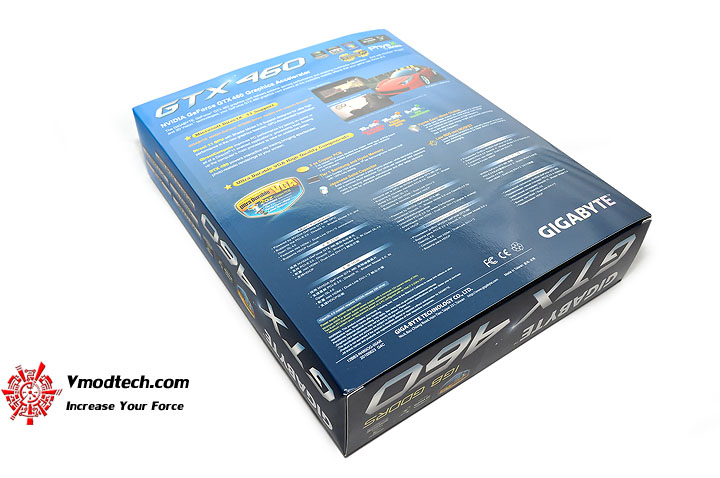
หน้าตากล่องด้านหลังครับ สเป็คต่างๆถูกบรรยายไว้เพียบอีกเช่นเคย
.
Bundle
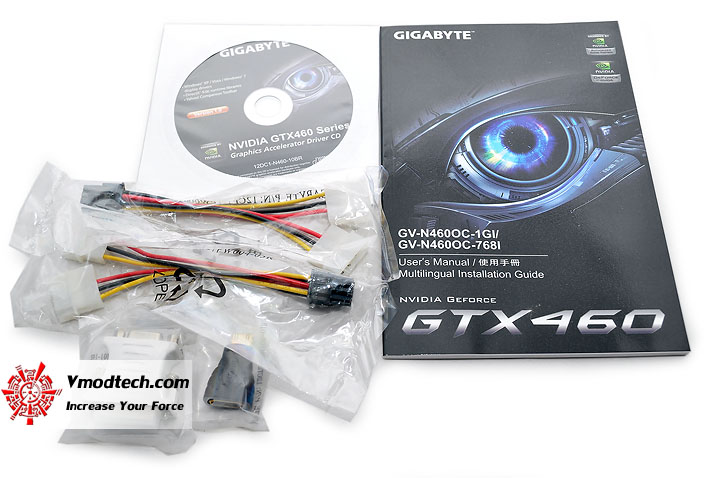
อุปกรณ์ที่แถมมาในกล่องครับ
.
Graphic Card Appearance
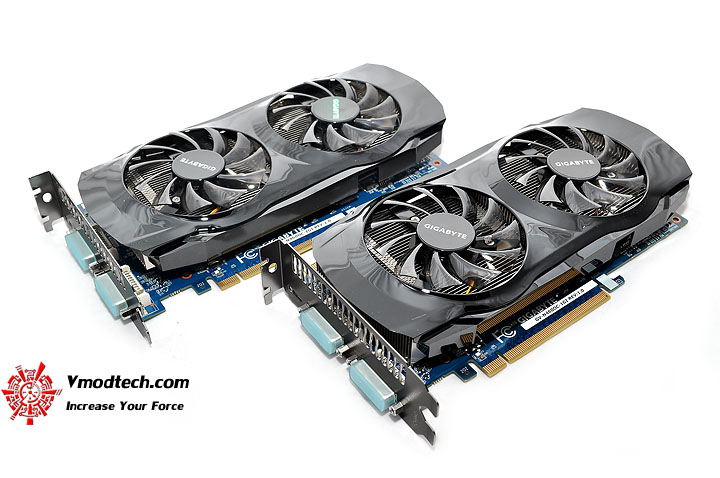
หน้าตาของตัวการ์ด สวยงามหรูหราด้วยดีไซน์พัดลมคู่จาก GIGABYTE ครับ
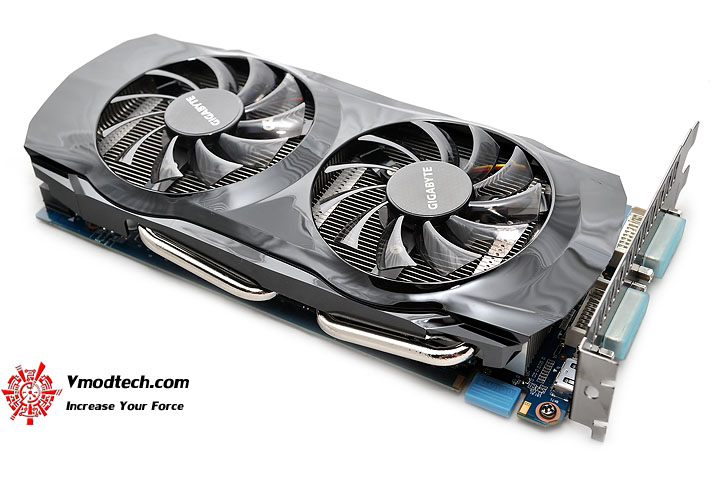
มองกันอีกมุมมอง หล่อเรียบๆกลมกลืนกันดีครับ
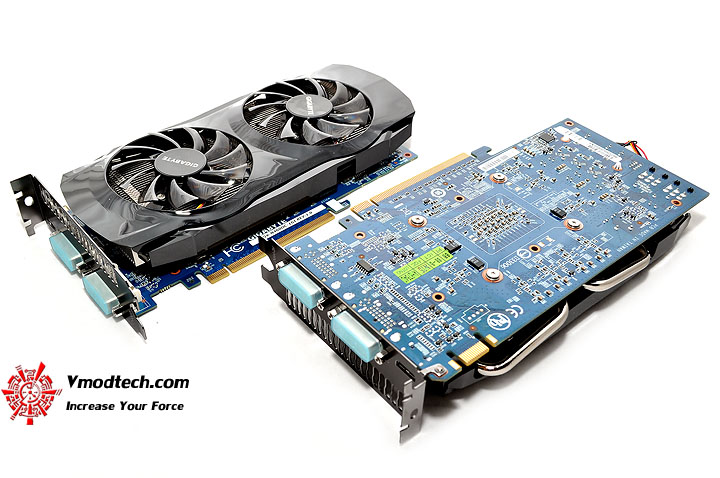
ด้านหลังการ์ด PCB สีฟ้าทองแดงหนา 2oZ มาตรฐานขั้นสูงจาก GIGABYTE ก็ยังคงถูกนำมาใช้ในการ์ดรุ่นนี้ครับ
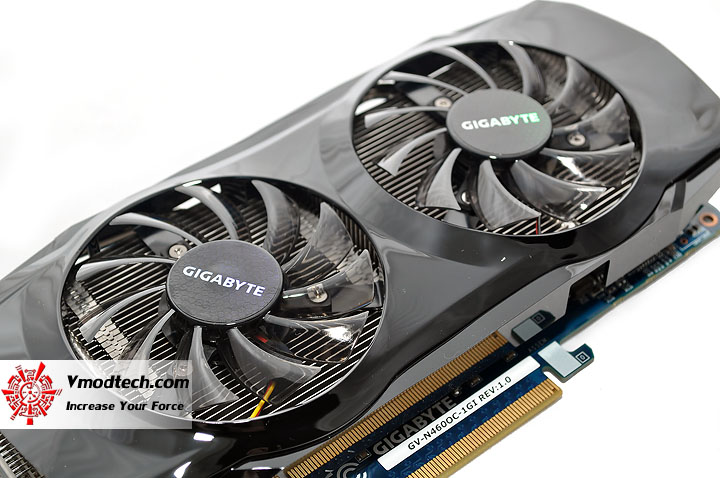
ดูพัดลมและตัวซิงค์กันชัดๆ หล่อเท่ห์คลาสสิคดีครับ
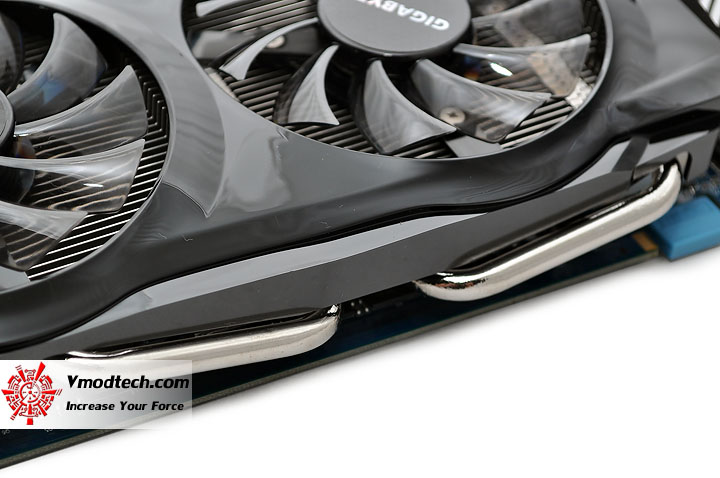
การดีไซน์ฮีตไปป์ของซิงค์การ์ดตัวนี้จะเป็นแบบคู่ เลื้อยกันออกมาจากหน้าสัมผัส GPU กันเลยนะครับ
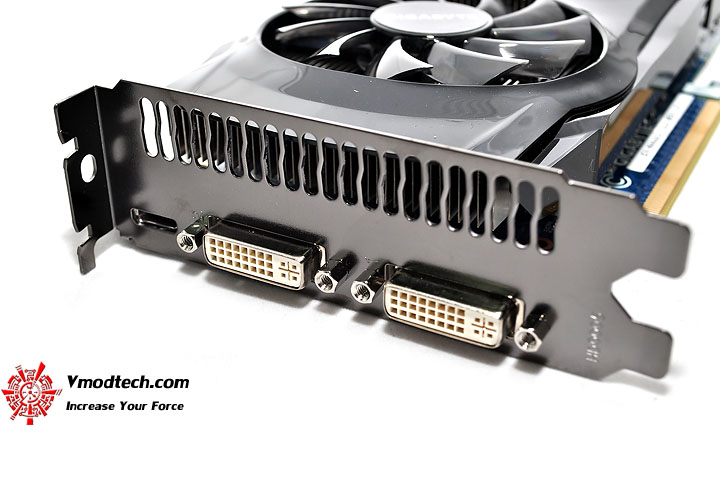
การเชื่อมต่อ 3ช่องทาง 1X Mini HDMI , 2X DVI-D กันตามมาตรฐาน
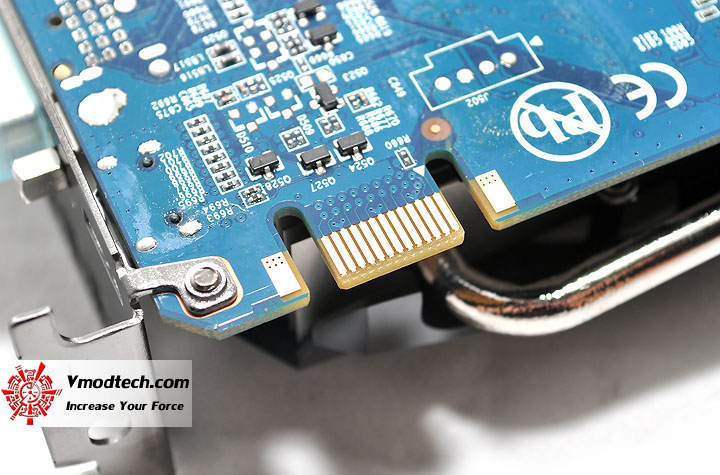
ช่องเสียบ SLI Bridge มี 1ช่องแบบนี้ Support การทำงานแบบ SLI ได้มากสุดที่ 2การ์ดนะครับ
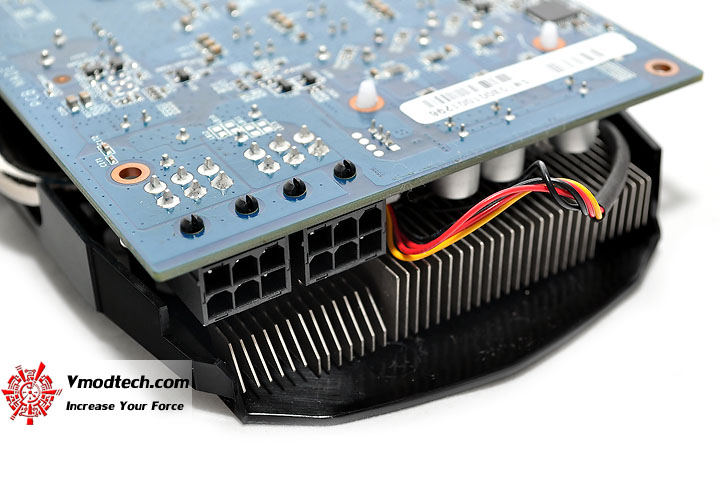
ช่องเสียบไฟเลี้ยงแบบ 6พิน 2ช่องกันตามมาตรฐานครับ
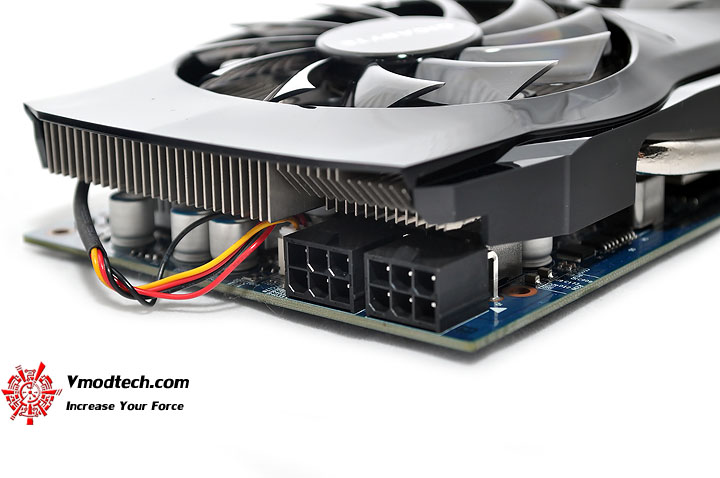 การดีไซน์ซิงค์ตรงปลายด้านท้ายการ์ด จะมีการหักมุมหลบบริเวณที่เสียบไฟเลี้ยงเพิ่มด้วยครับ ไม่ธรรมดาจริงๆ
System Configuration
| .SYSTEMS | |
| .CPU | ..Intel Core i7 920 @ 4.45 GHZ |
| .Motherboard | ..GIGABYTE GA-X58A-UD7 |
| .Memory | ..G.Skill Trident PC12800 CL6D-6GBTD 2GB*3 Triple Channel |
| .Graphic Card | ..GIGABYTE NVIDIA GeForce GTX 460 1024MB DDR5 X2 |
| .Harddisk | ..WD1002FAEX SATA3 64MB Cache 1TB |
| .CPU Cooler | ..Water Cooling @ Ambient 25C |
| .Power Supply | ..antec TPQ-1200 Overclocking Version 1200W |
| .Operation System | ..Windows 7 Ultimate 32-bit |
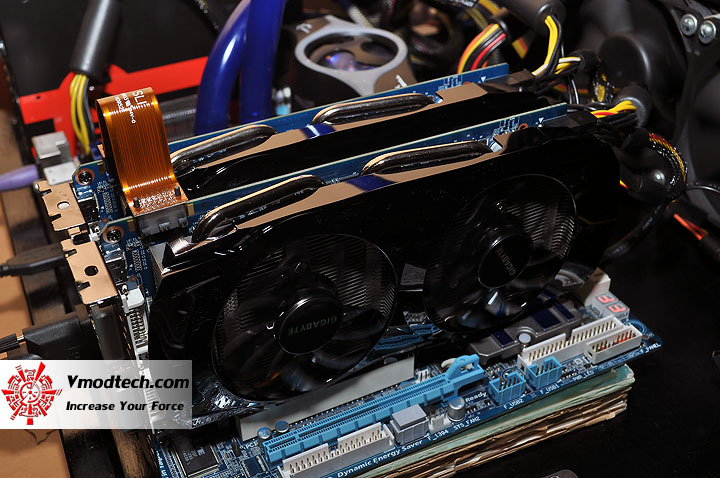
วางเซตกันง่ายๆแบบการ์ดคู่ ที่อุณหภูมิห้องประมาณ 25องศาเซลเซียส
LinX 0.6.4 Problem size 15500 Memory used 1846MB (All of 32-bit OS) 20Loops
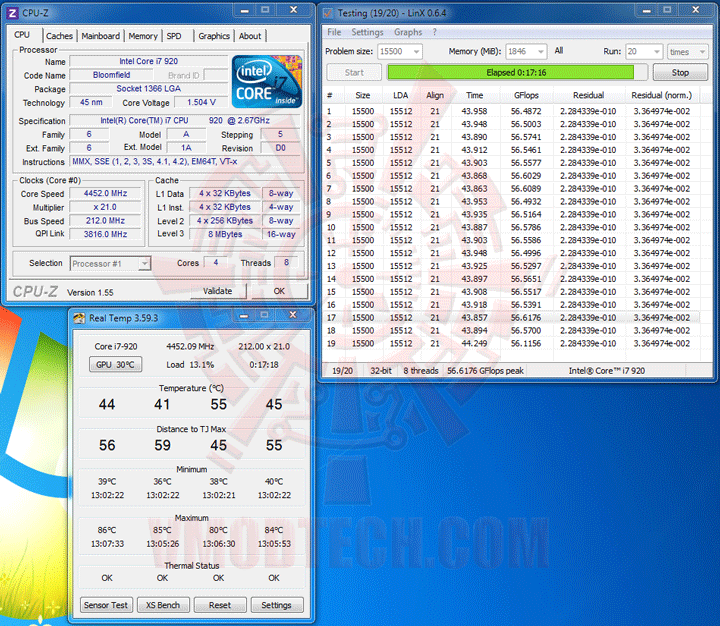
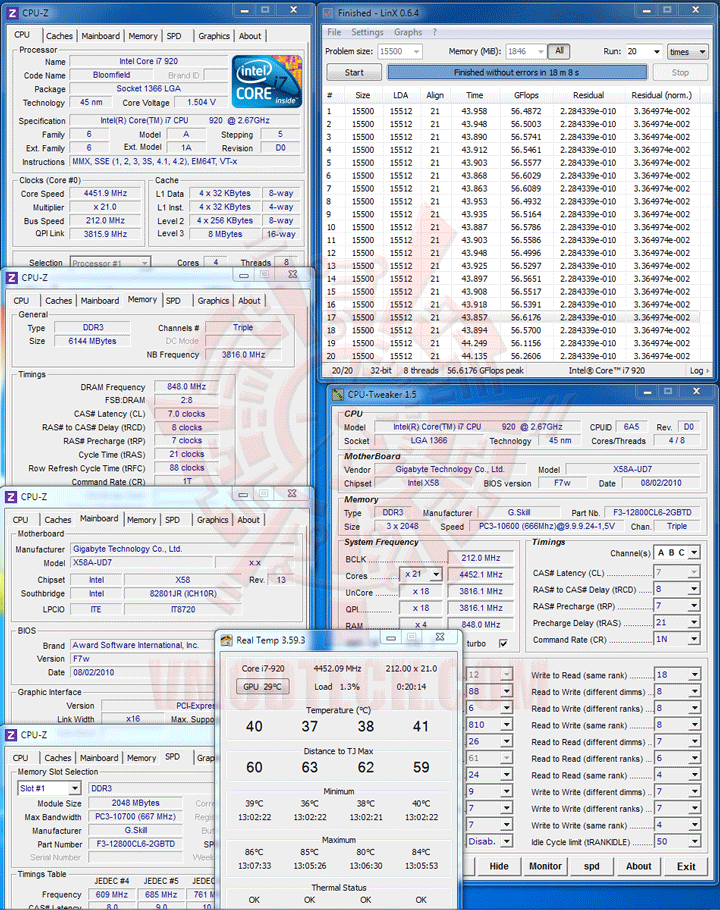
Core i7 920 จัดความเร็วไปที่ 4.45GHz พอครับ ลุย!
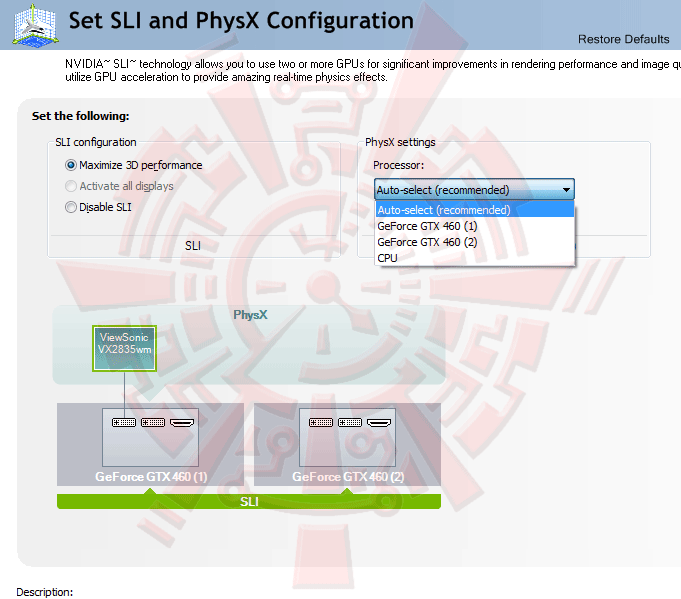
Card Information
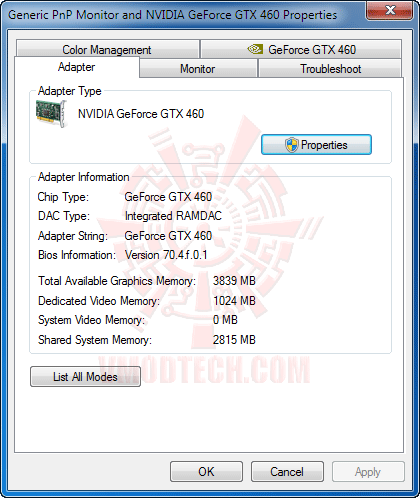 .
.
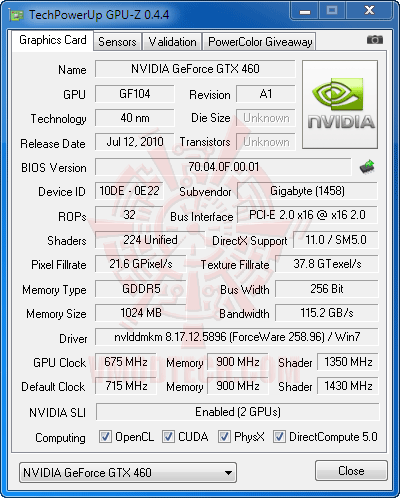
GPU-Z
 .
.
 .
.
 .
.
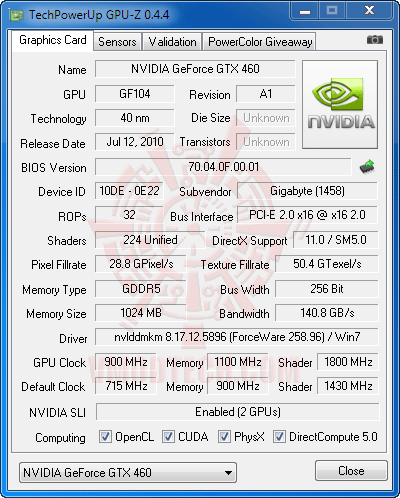
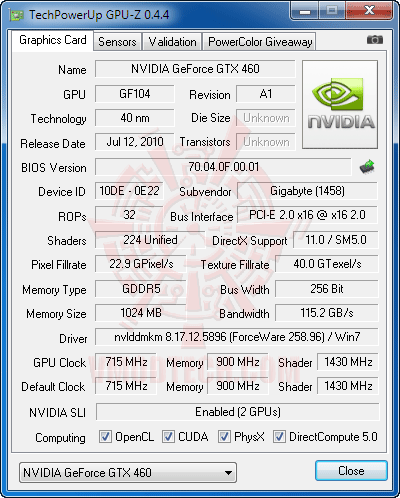
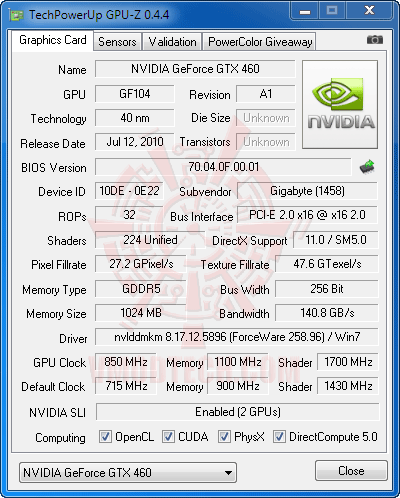
...จากความเร็วเดิมที่โอเวอร์คล็อคมาจากโรงงานที่ 715/1,430/3,600MHz ลากกันแรงระเบิดไปสุดเสถียรที่ 900/1,800/4,400MHz กันไปเลยเชียว ยังไม่พอครับผมจะแถมความเร็วเริ่มต้นของชิป GTX 460 มาตรฐานจาก NVIDIA เพิ่มให้ไปอีกหนึ่งความเร็วที่ 675/1,350/3,600MHz จะได้รู้กันไปครบๆว่าโอเวอร์คล็อคจากโรงงานแล้วจะแรงขึ้นกว่าค่ามาตรฐานเดิมของ NVIDIA ไปอีกเท่าไหร่ โดยในการเทสต์แบบการ์ดคู่คราวนี้ จะไม่มี FurMark นะครับ เนื่องจากคราวนี้มากันในแบบการ์ดคู่ เลยกลัวว่าการ์ดที่ยืมมาอาจได้รับความเสียหายเพราะความร้อนเหนือธรรมชาติของโปรแกรมตัวนี้ ว่าแล้วก็ไปชมผลทดสอบกันแบบยาวๆกับ 5 Benchmark, 8 GameTest รวมเทสต์ทั้งหมด 56 รอบ กันได้ ณ บัดนี้เลยครับ
.
3DMark03

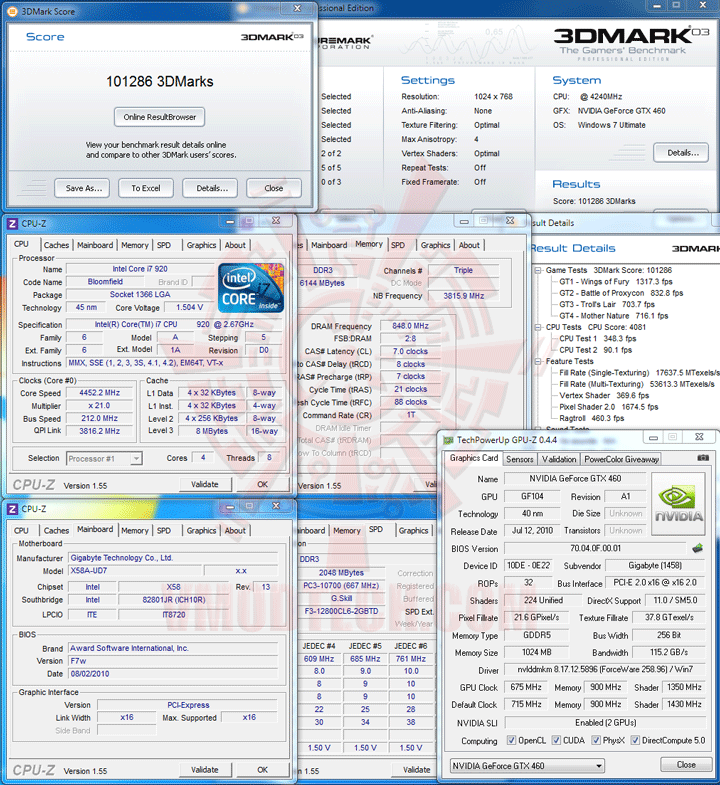
...จะมีการนำผลการทดสอบของ GeForce GTX 480 , GeForce GTX 465 และ GeForce GTX 460 1024MB ในคราวที่แล้ว ที่ใช้ Systems ในการทดสอบทุกๆอย่างเหมือนกัน มาเปรียบเทียบกันในบทความนี้ด้วยนะครับ
Underclock Speed @ 675/1,350/3,600MHz (NVIDIA Default Speed)
 .
.
Default Clock Speed @ 715/1,430/3,600MHz
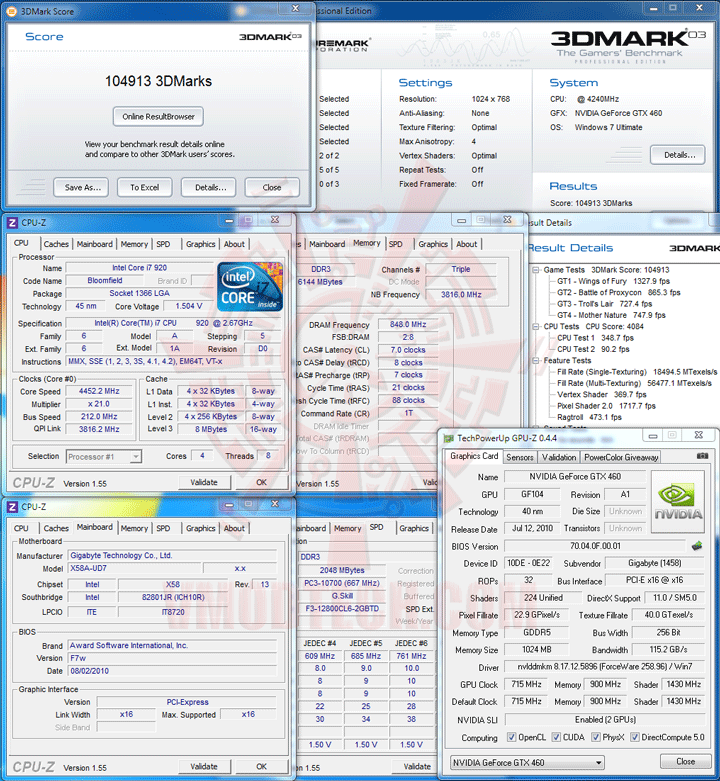 .
.
Overclock Speed @ 850/1,700/4,400MHz
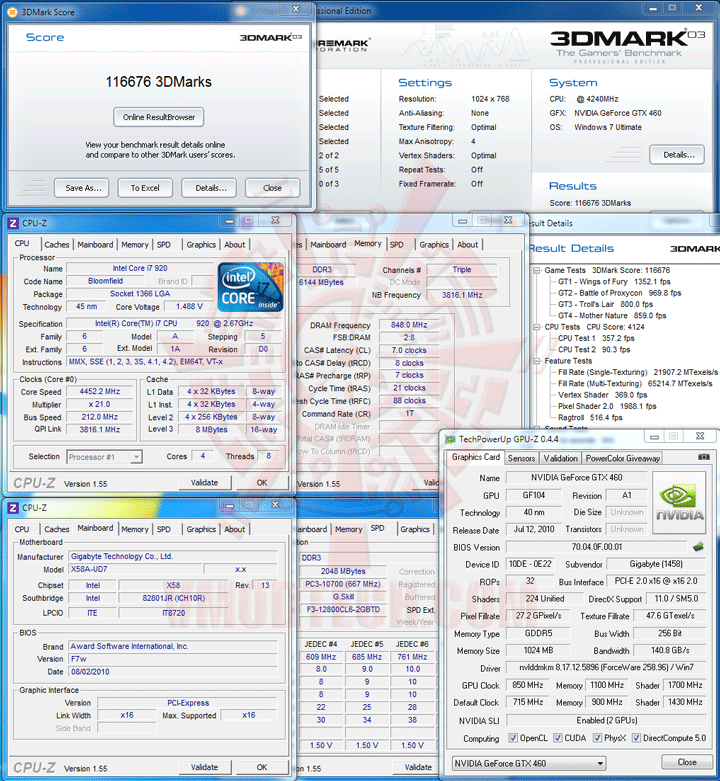 .
.
Overclock Speed @ 900/1,800/4,400MHz(OverVoltage to 1,087mV)
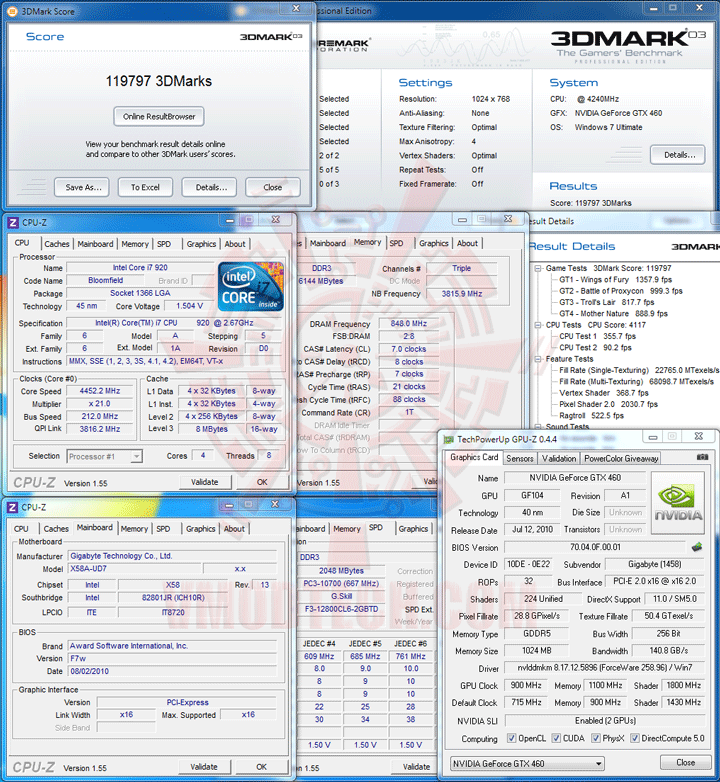
.
3DMark05
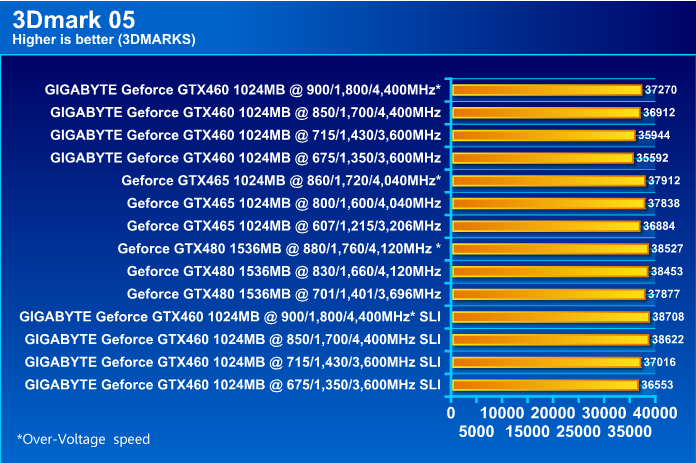 .
.
Underclock Speed @ 675/1,350/3,600MHz (NVIDIA Default Speed)
 .
.
Default Clock Speed @ 715/1,430/3,600MHz
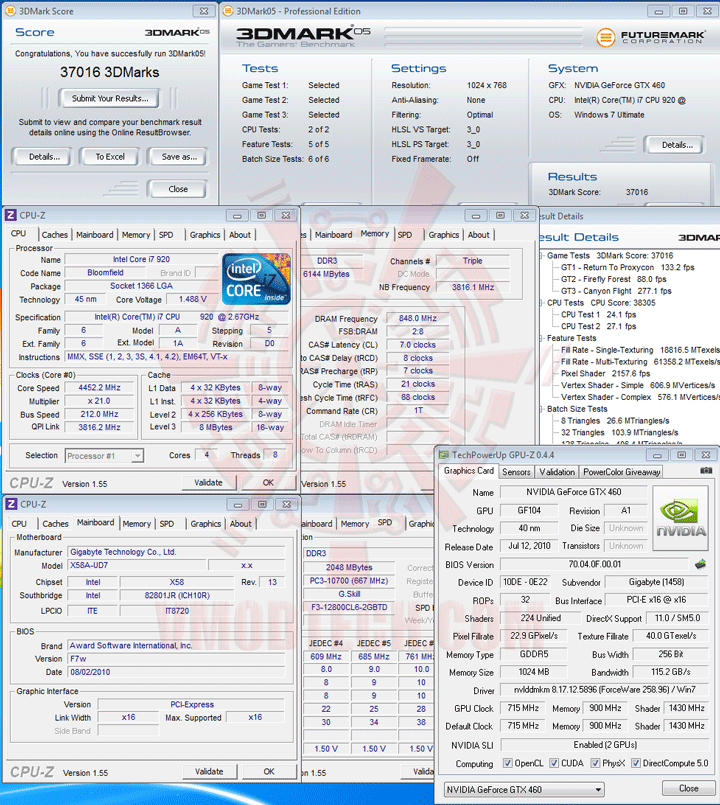 .
.
Overclock Speed @ 850/1,700/4,400MHz
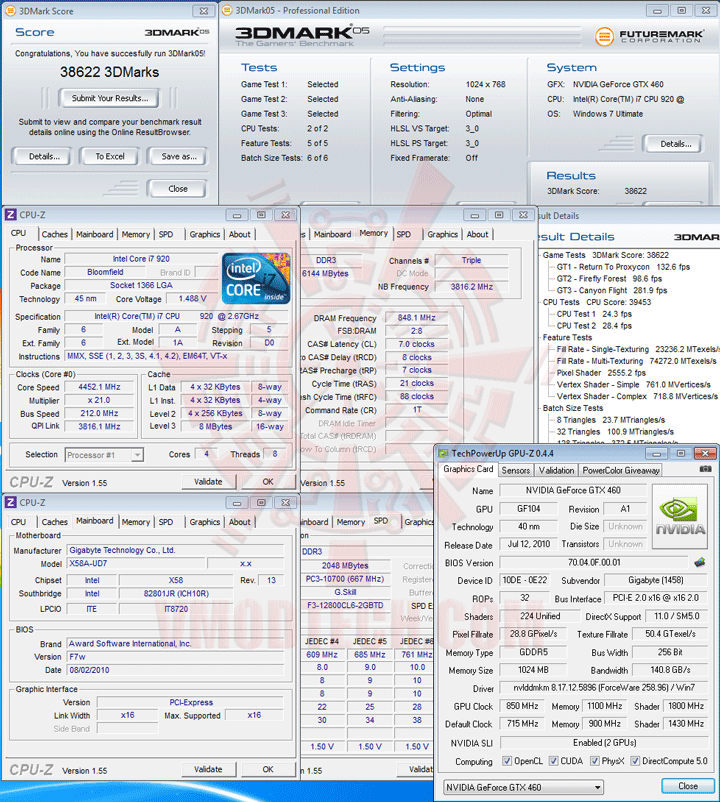 .
.
Overclock Speed @ 900/1,800/4,400MHz(OverVoltage to 1,087mV)
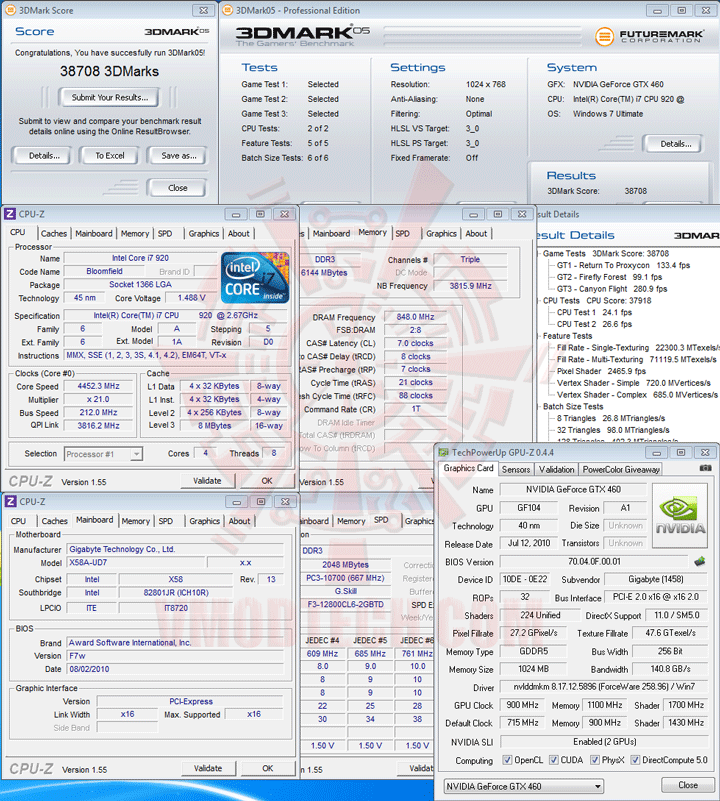
.
3DMark06
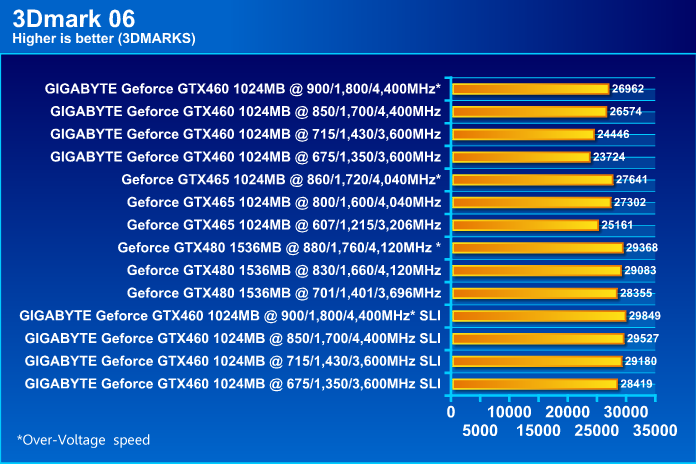 .
.
Underclock Speed @ 675/1,350/3,600MHz (NVIDIA Default Speed)
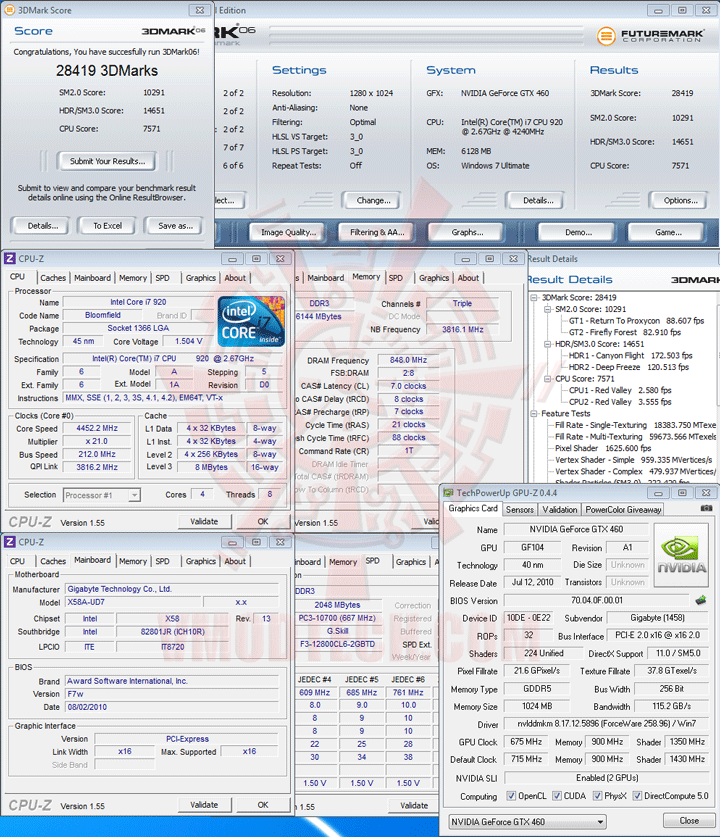 .
.
Default Clock Speed @ 715/1,430/3,600MHz
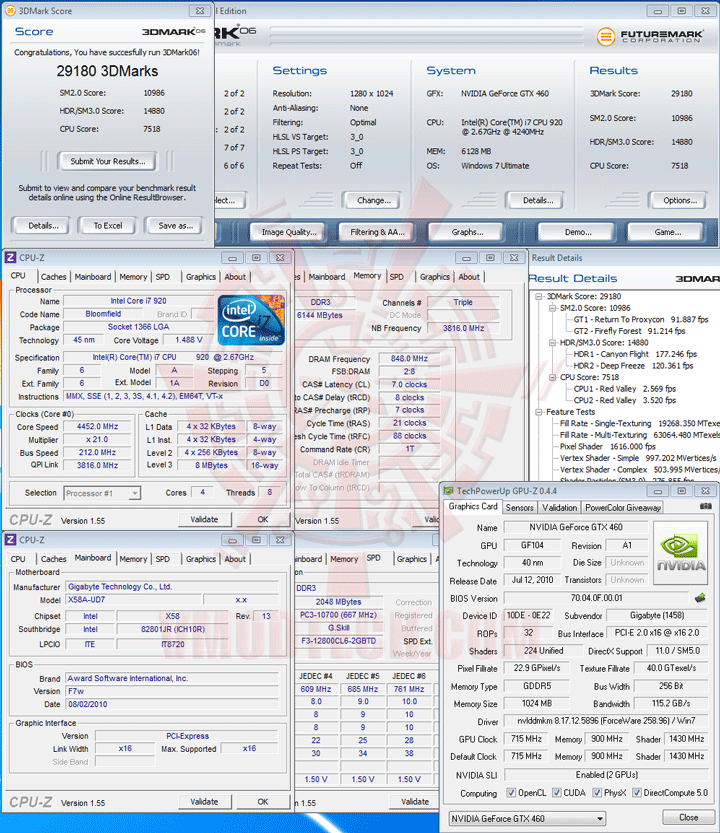 .
.
Overclock Speed @ 850/1,700/4,400MHz
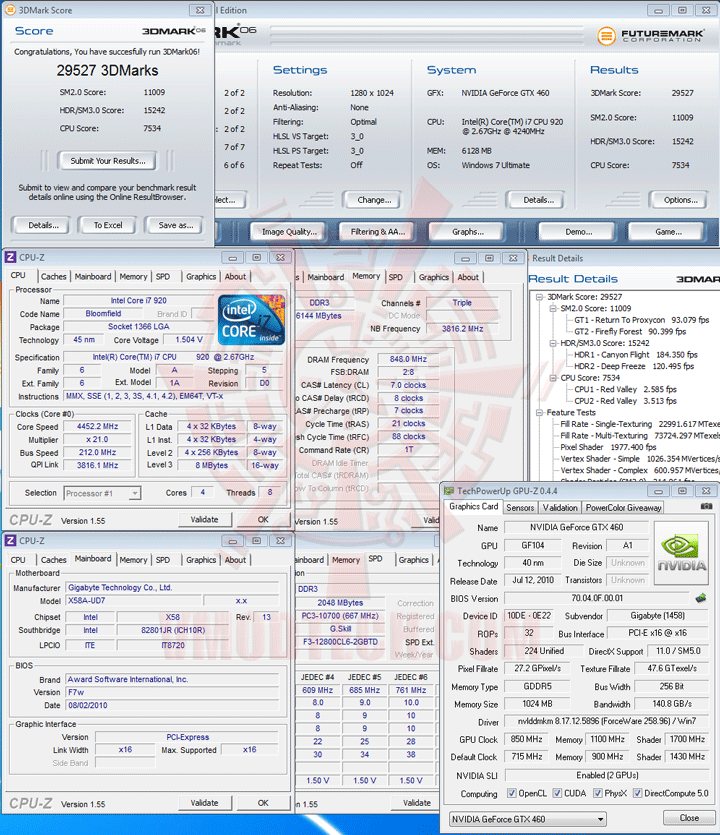 .
.
Overclock Speed @ 900/1,800/4,400MHz(OverVoltage to 1,087mV)
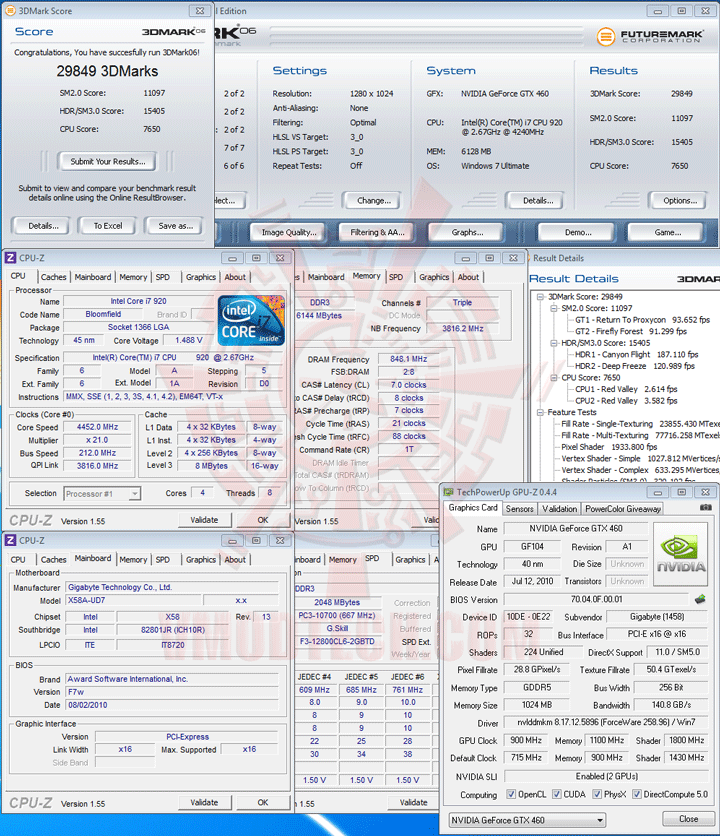
.
3DMark Vantage
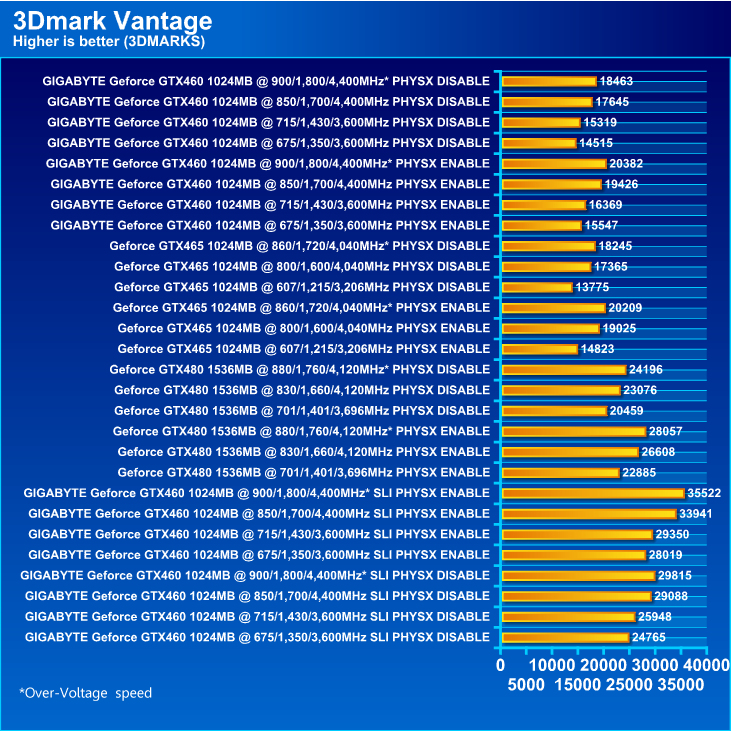 .
.
PhysX Disable
Underclock Speed @ 675/1,350/3,600MHz (NVIDIA Default Speed)
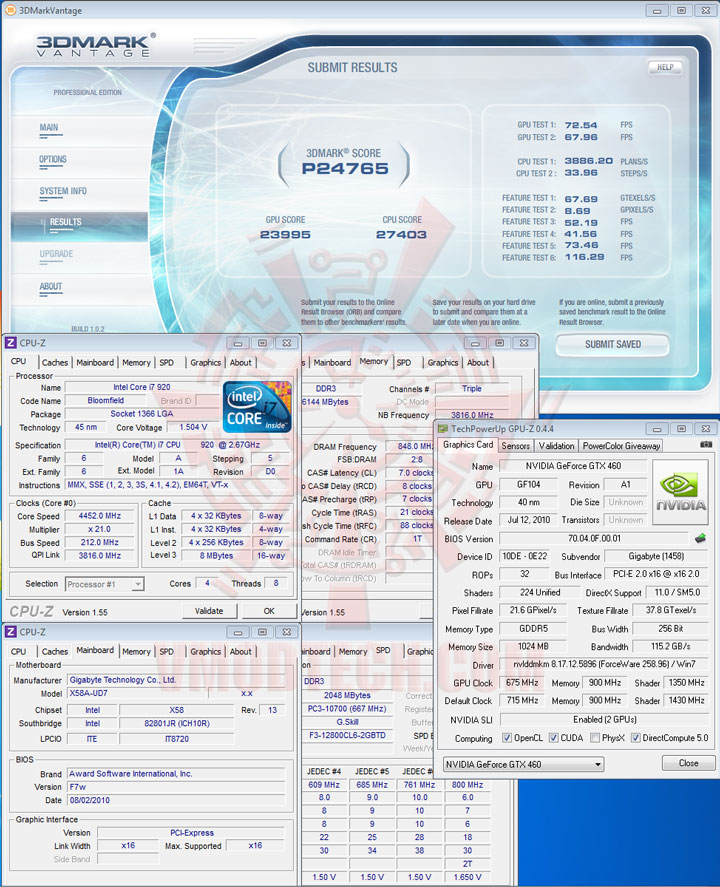 .
.
Default Clock Speed @ 715/1,430/3,600MHz
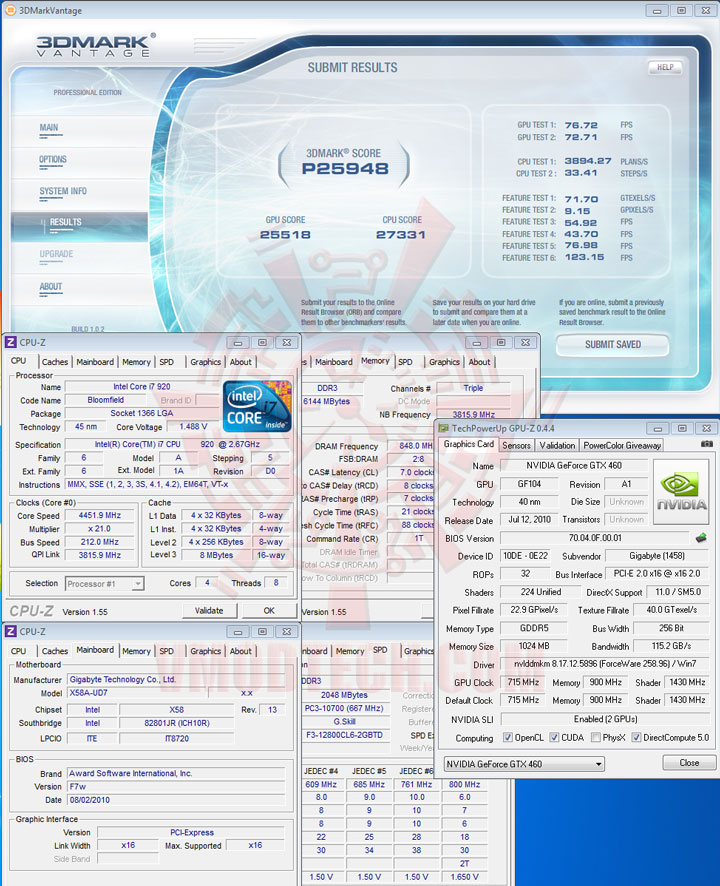 .
.
Overclock Speed @ 850/1,700/4,400MHz
 .
.
Overclock Speed @ 900/1,800/4,400MHz(OverVoltage to 1,087mV)
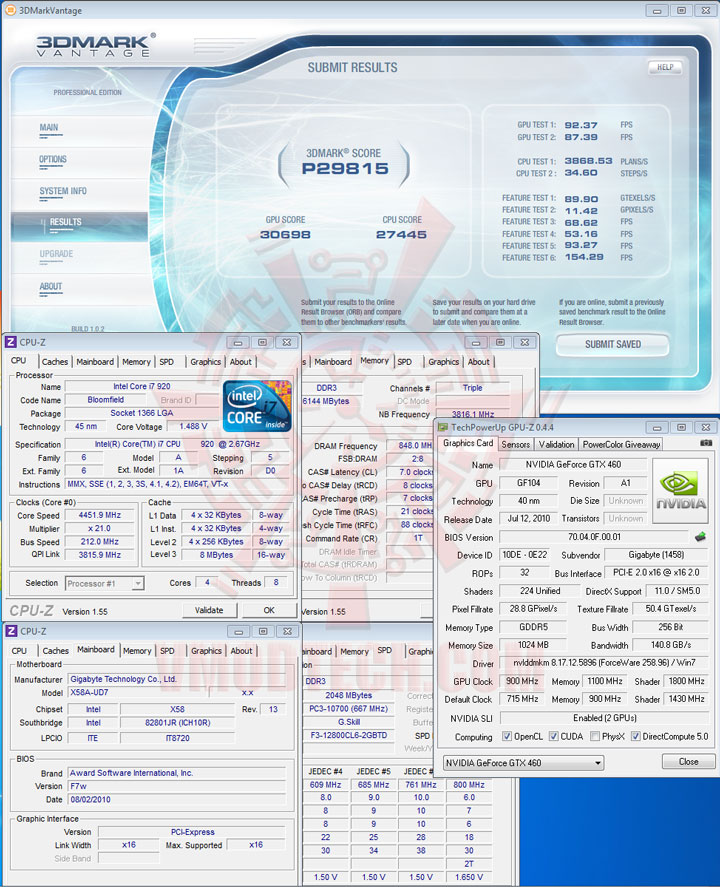
.
PhysX Enable
Underclock Speed @ 675/1,350/3,600MHz (NVIDIA Default Speed)
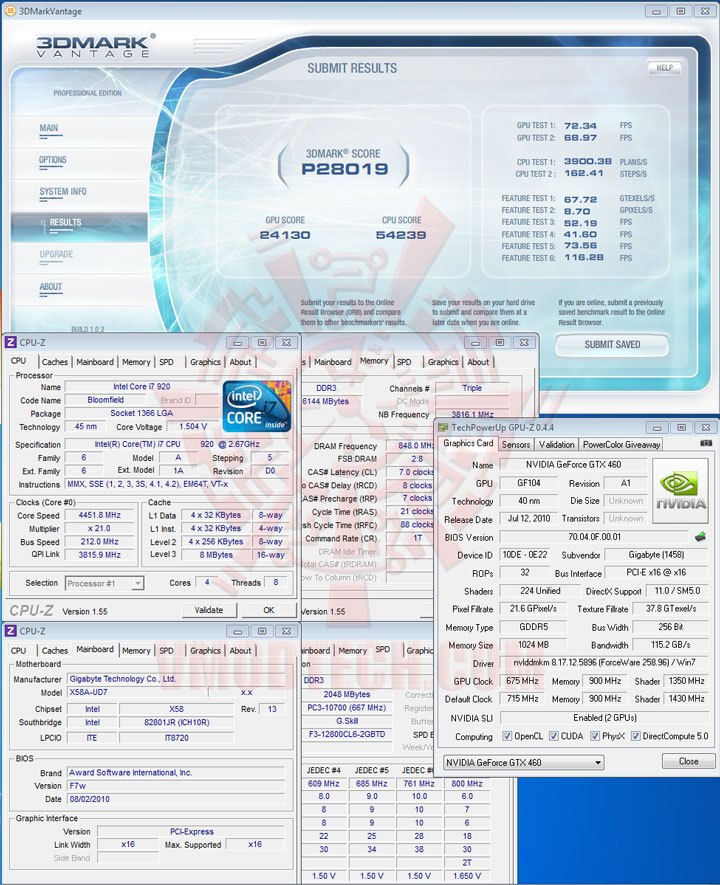 .
.
Default Clock Speed @ 715/1,430/3,600MHz
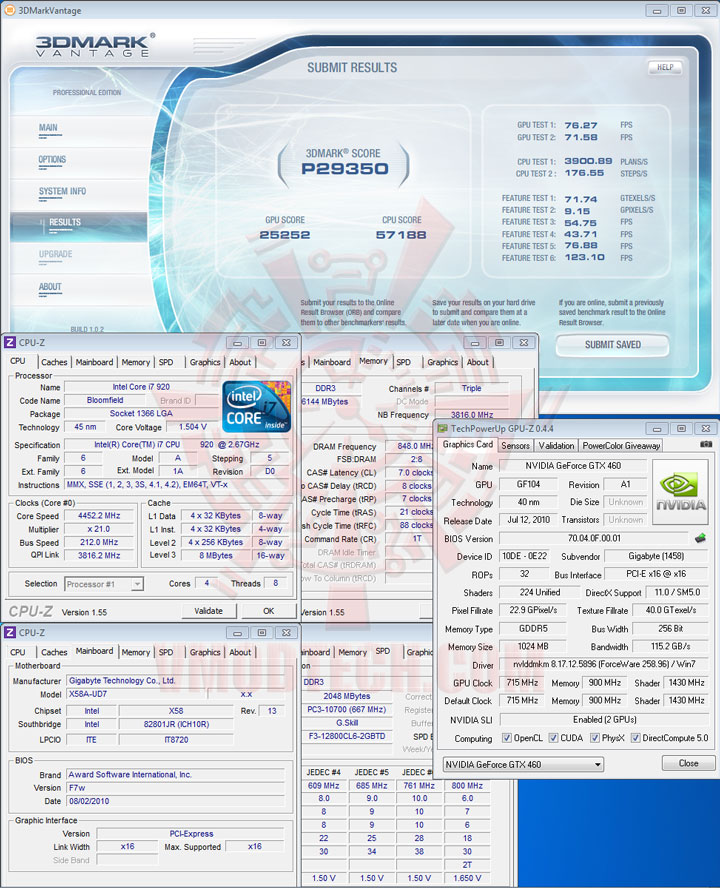 .
.
Overclock Speed @ 850/1,700/4,400MHz
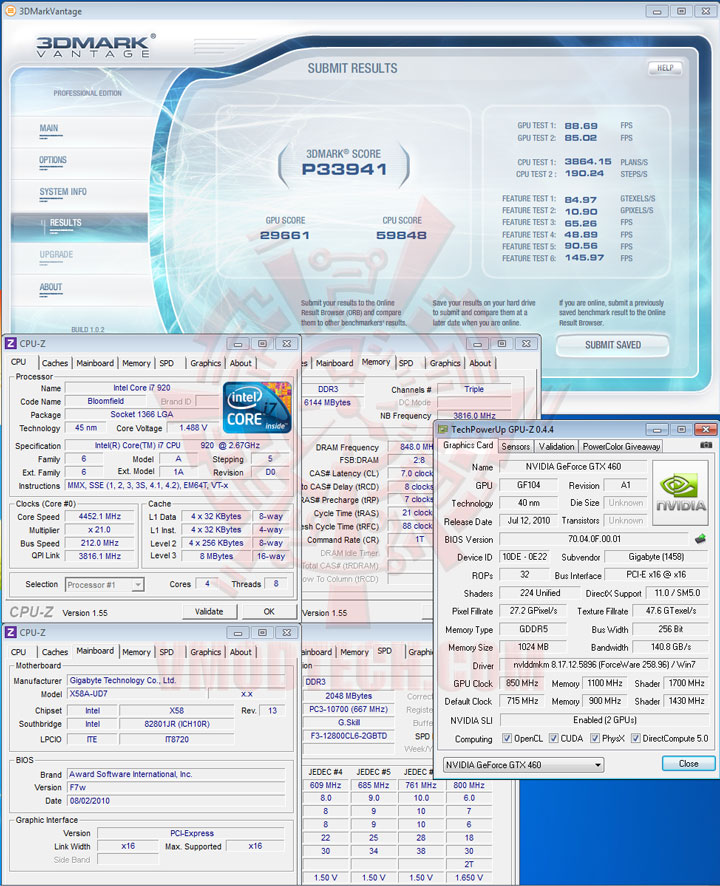 .
.
Overclock Speed @ 900/1,800/4,400MHz(OverVoltage to 1,087mV)
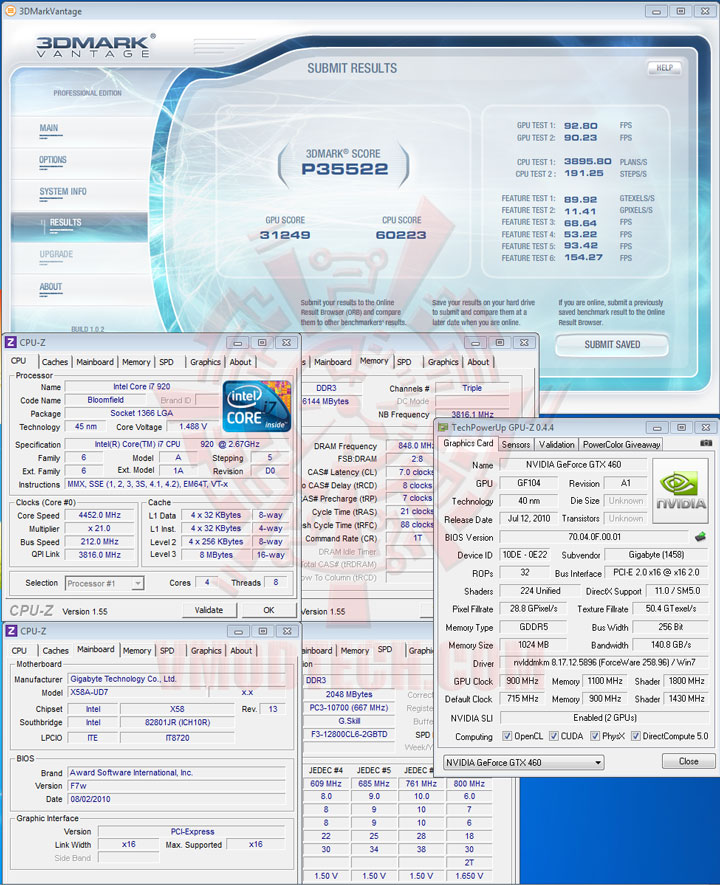
.
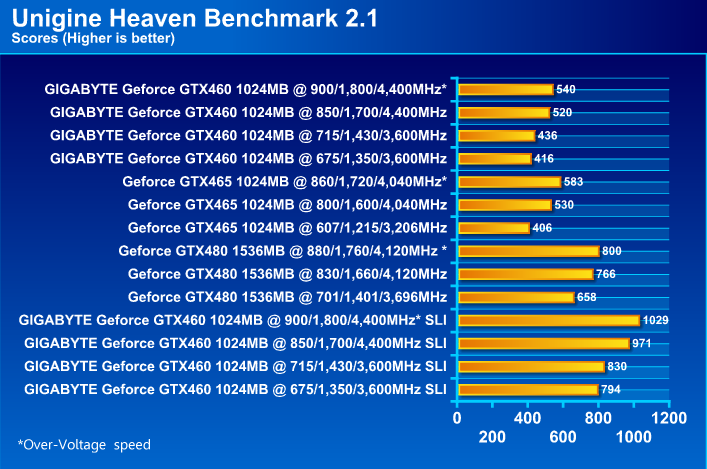
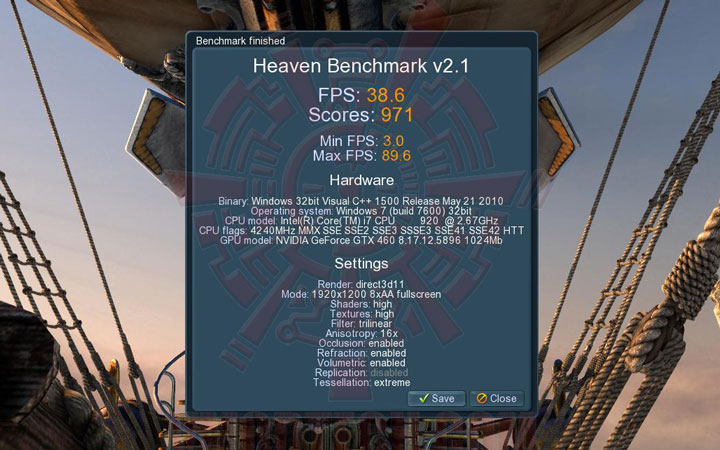
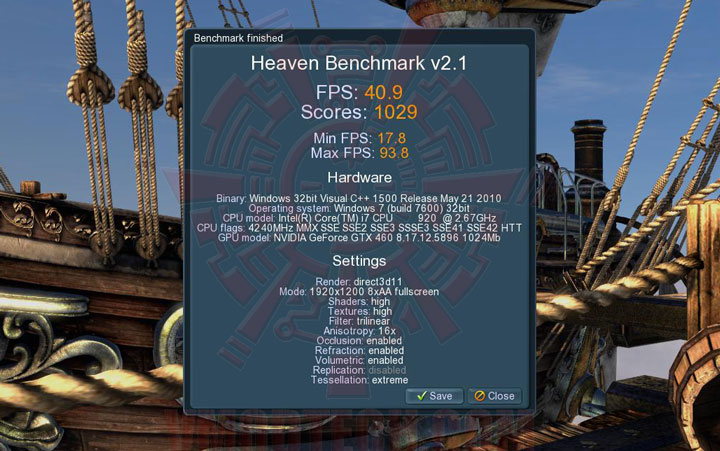
Unigine Heaven Benchmark 2.0
 .
.
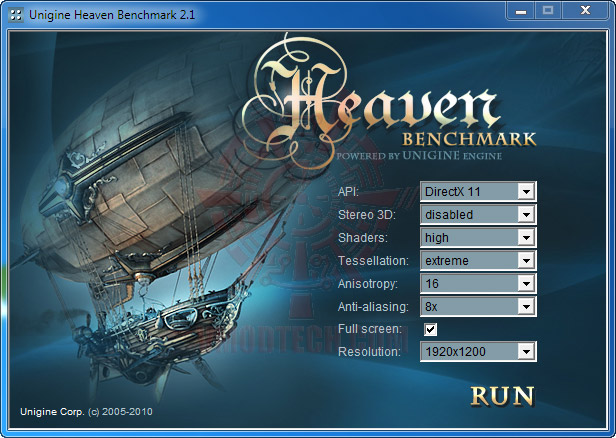
SETTINGS
.
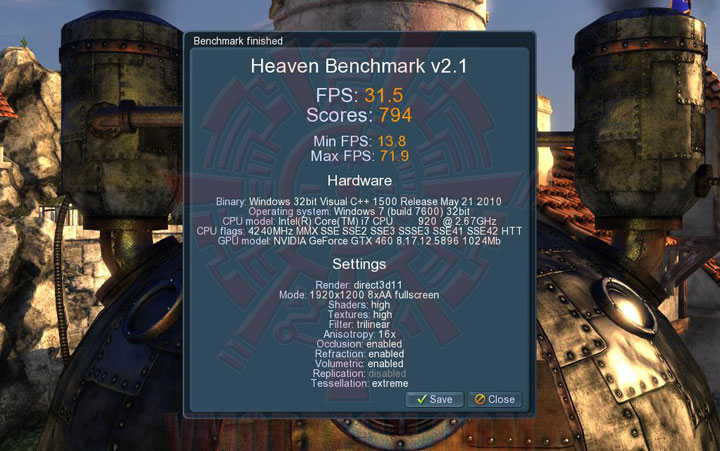
Underclock Speed @ 675/1,350/3,600MHz (NVIDIA Default Speed)
 .
.
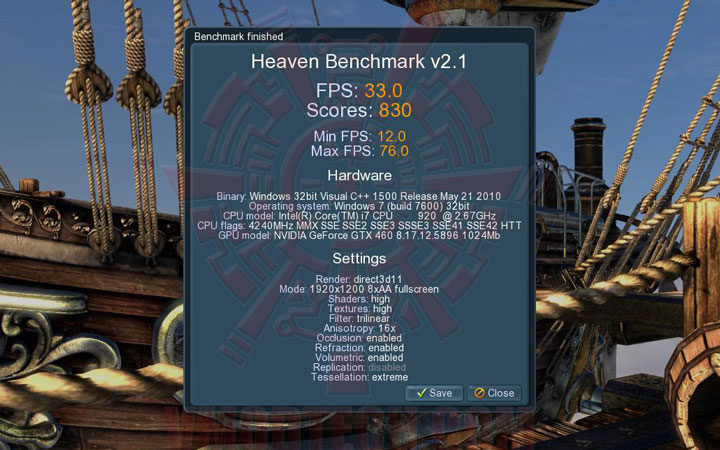
Default Clock Speed @ 715/1,430/3,600MHz
 .
.
Overclock Speed @ 850/1,700/4,400MHz
 .
.
Overclock Speed @ 900/1,800/4,400MHz(OverVoltage to 1,087mV)
.
Aliens VS. Predator DX11 Benchmark

.
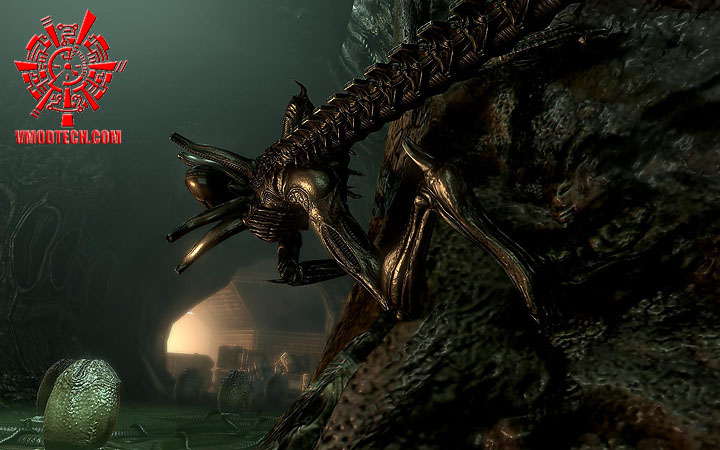
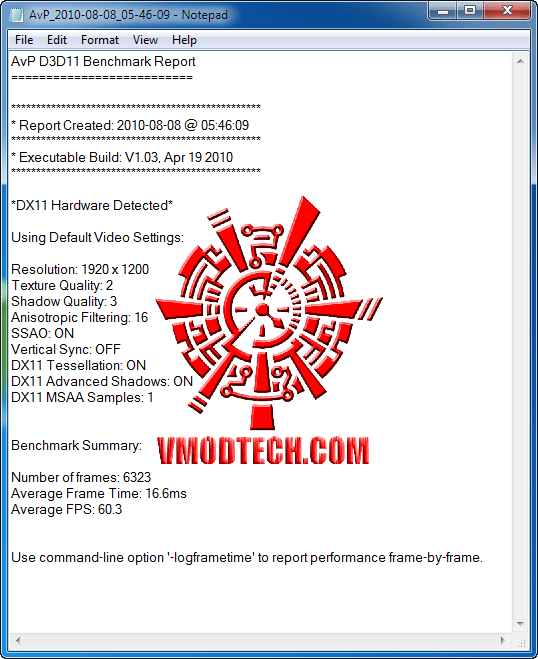
...เซตอะไรกันไม่ได้เลยนะครับ กดแล้วมันก็เทสต์เลย จริงๆวิธีเซตมันก็มีเหมือนกันนะครับแต่ผมขี้เกียจศึกษาเลยเอาแบบ Default แบบนี้แหละครับ ไปชมผลกันเลยครับกับเกมส์ DX11 ภาพสุดสวยเกมส์นี้
.
Underclock Speed @ 675/1,350/3,600MHz (NVIDIA Default Speed)
 .
.
Default Clock Speed @ 715/1,430/3,600MHz
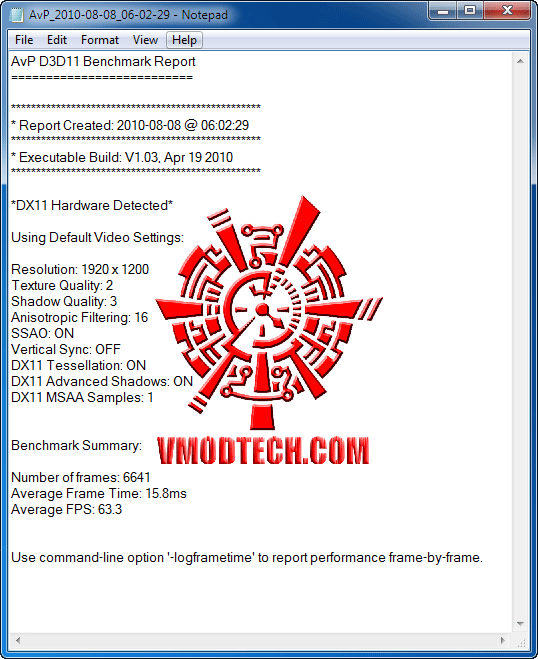 .
.
Overclock Speed @ 850/1,700/4,400MHz
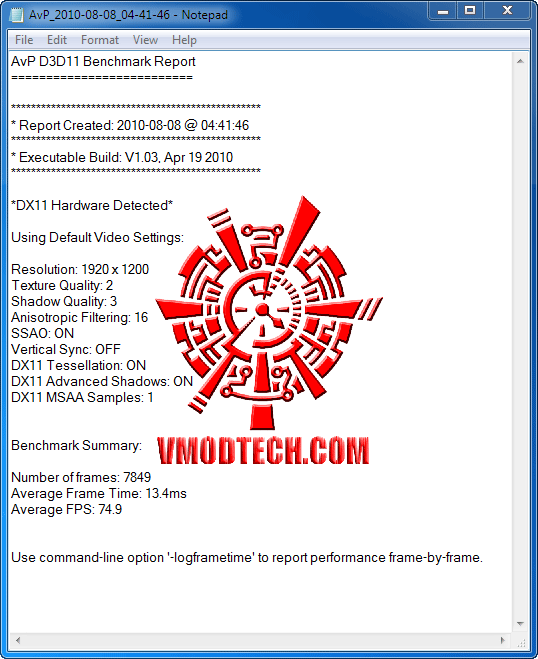 .
.
Overclock Speed @ 900/1,800/4,400MHz(OverVoltage to 1,087mV)
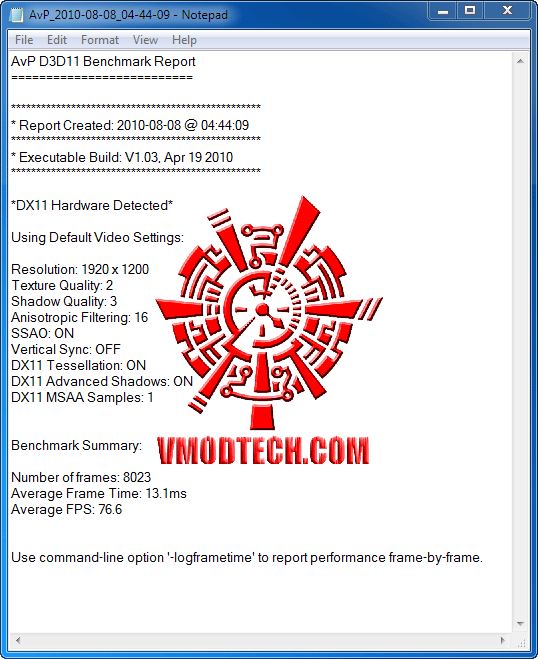
.
DIRT 2 DX11 Benchmark
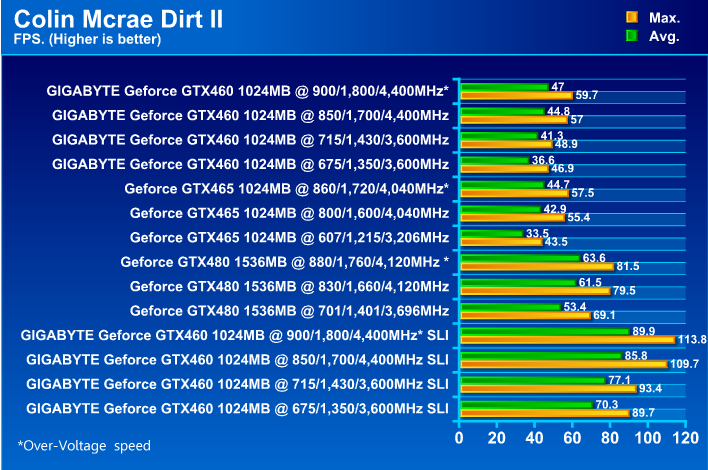 .
.
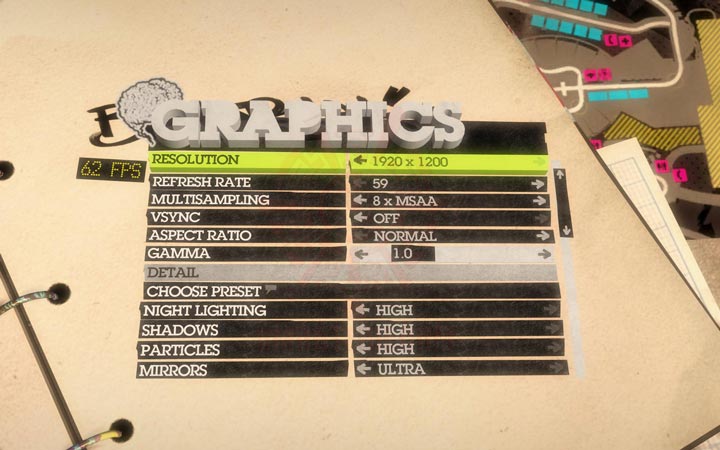
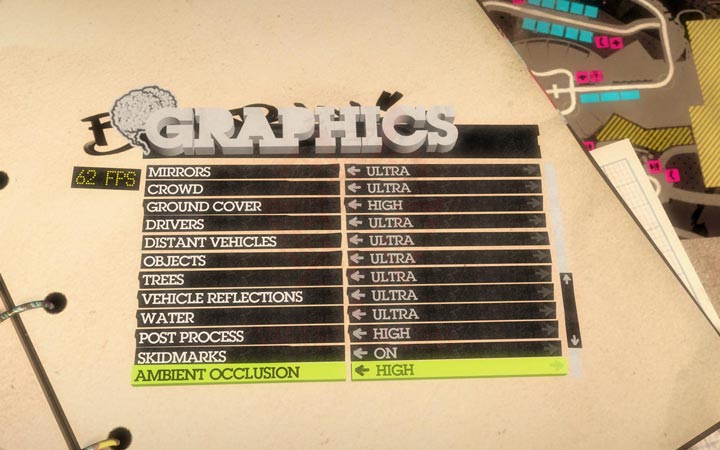
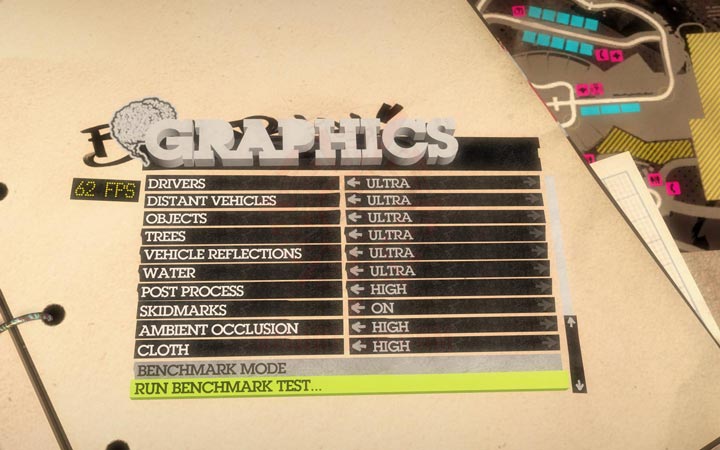
SETTINGS
.
.
.
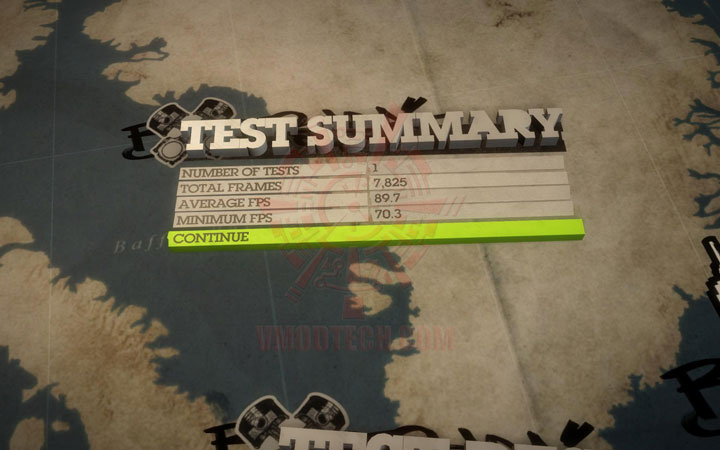
Underclock Speed @ 675/1,350/3,600MHz (NVIDIA Default Speed)
 .
.
Default Clock Speed @ 715/1,430/3,600MHz
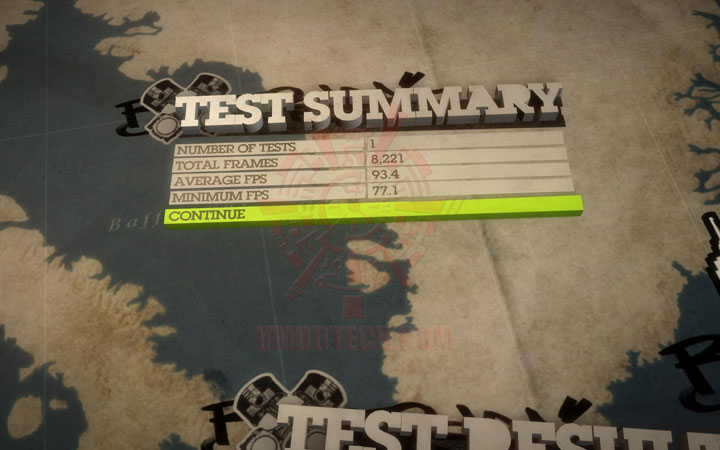 .
.
Overclock Speed @ 850/1,700/4,400MHz
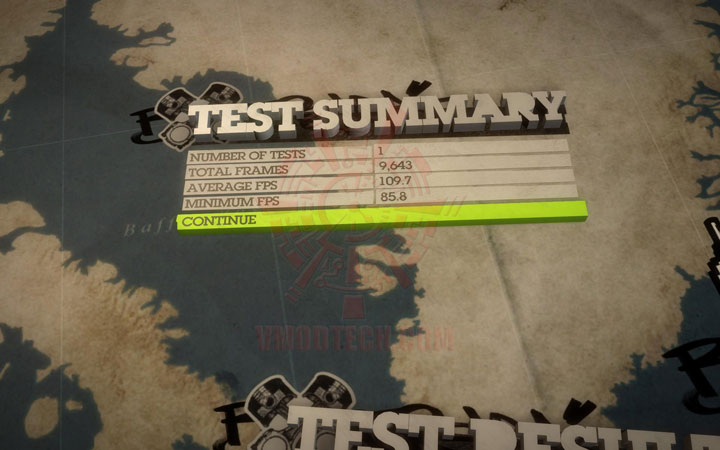 .
.
Overclock Speed @ 900/1,800/4,400MHz(OverVoltage to 1,087mV)
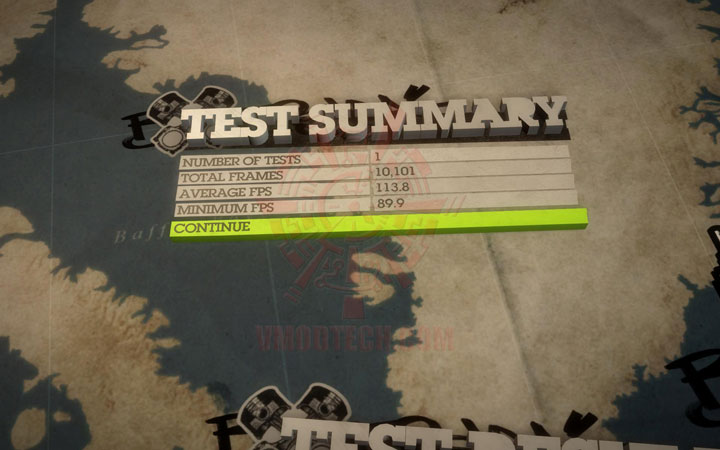
.
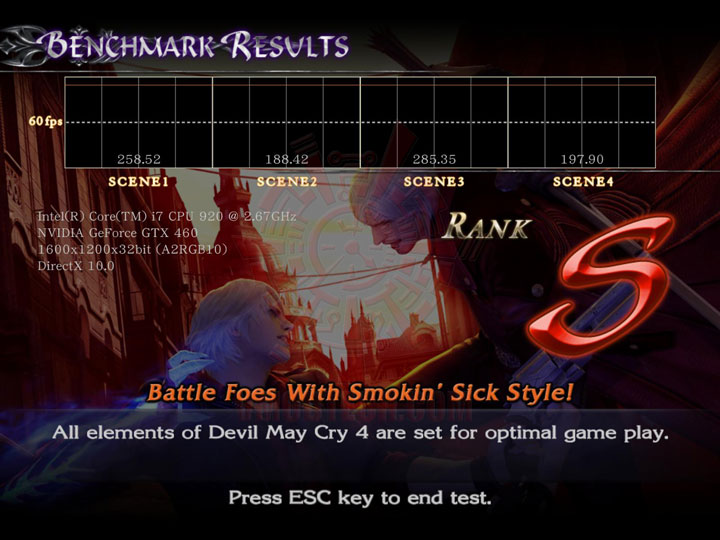
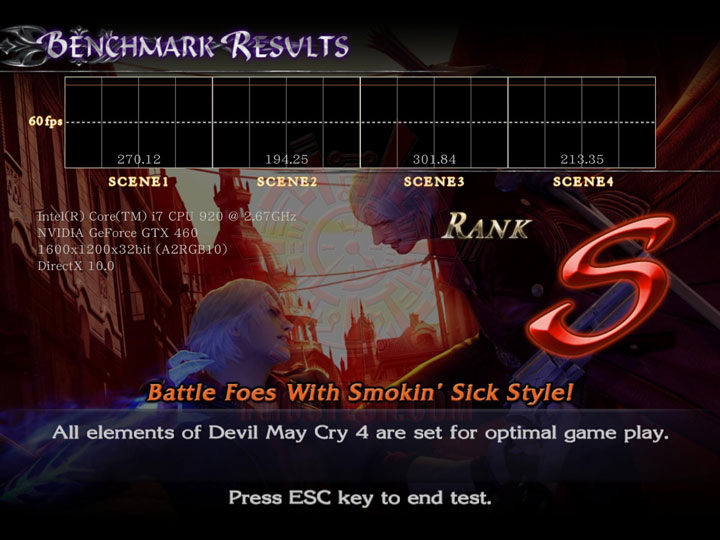
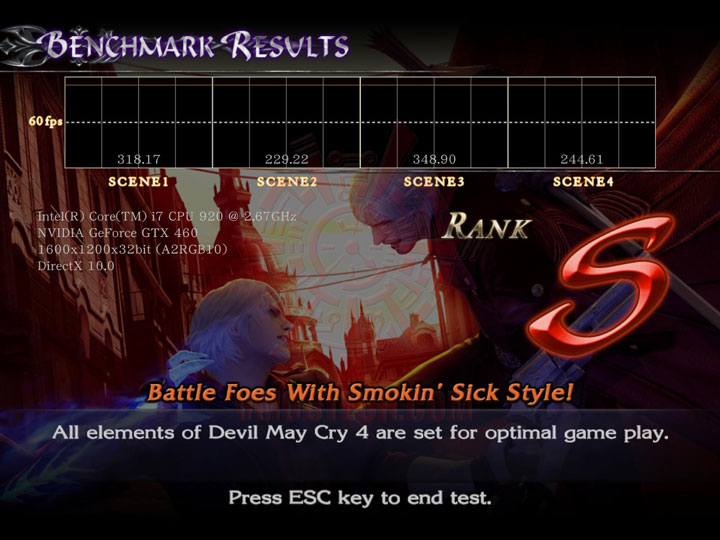
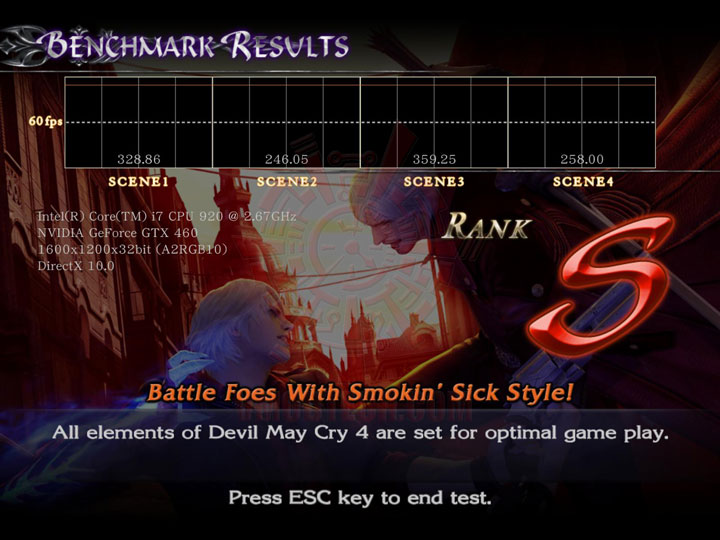
Devil May Cry 4 DX10 Benchmark
 .
.
SETTINGS
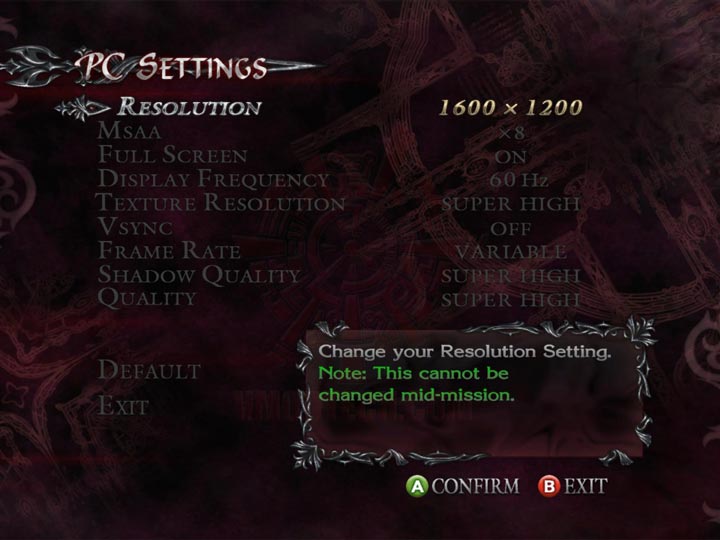 .
.
Underclock Speed @ 675/1,350/3,600MHz (NVIDIA Default Speed)
 .
.
Default Clock Speed @ 715/1,430/3,600MHz
 .
.
Overclock Speed @ 850/1,700/4,400MHz
 .
.
Overclock Speed @ 900/1,800/4,400MHz(OverVoltage to 1,087mV)
.
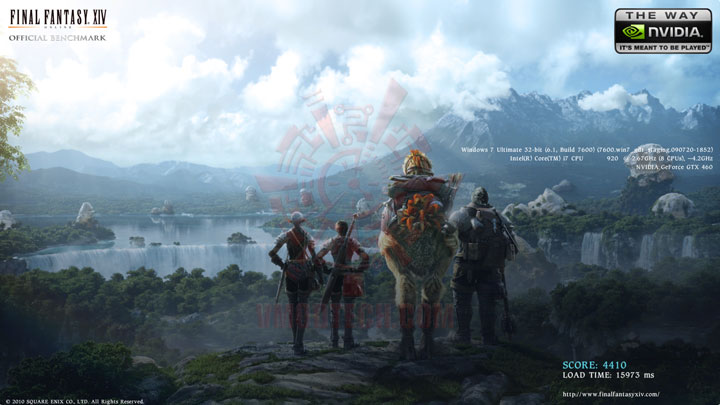
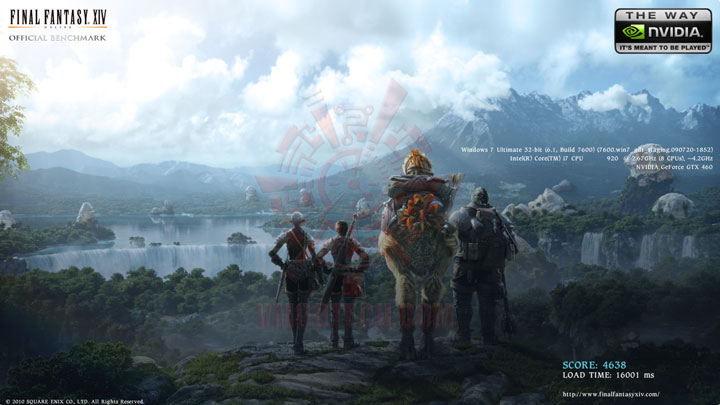
FINAL FANTASY XIV Benchmark
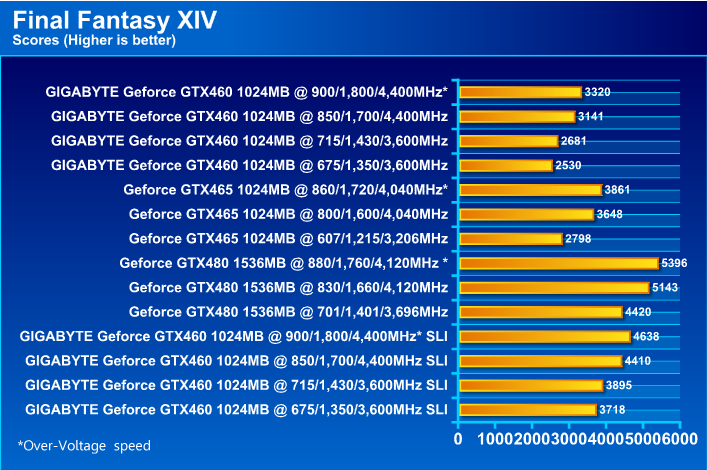 .
.
SETTINGS
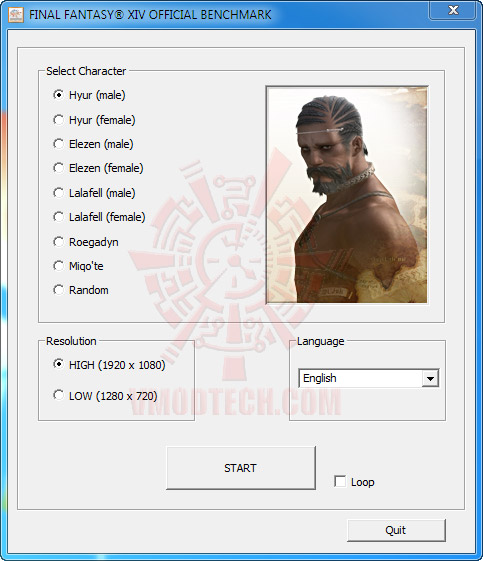 .
.
Underclock Speed @ 675/1,350/3,600MHz (NVIDIA Default Speed)
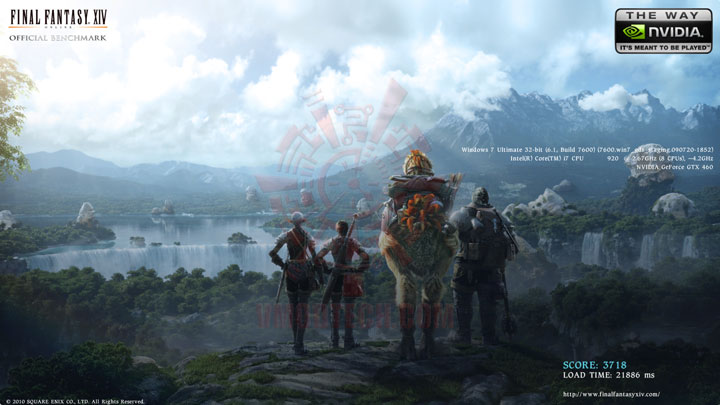 .
.
Default Clock Speed @ 715/1,430/3,600MHz
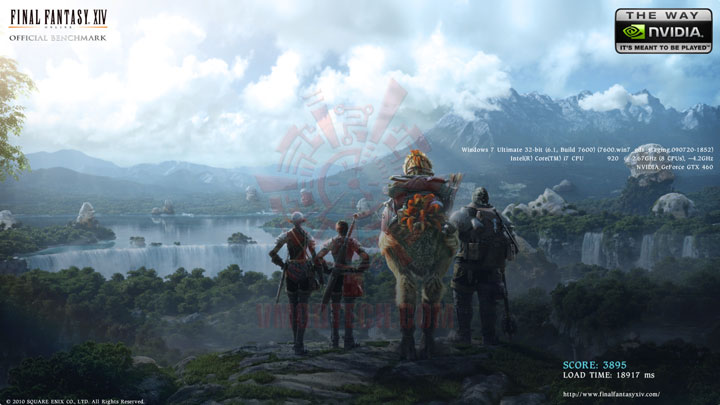 .
.
Overclock Speed @ 850/1,700/4,400MHz
 .
.
Overclock Speed @ 900/1,800/4,400MHz(OverVoltage to 1,087mV)
.
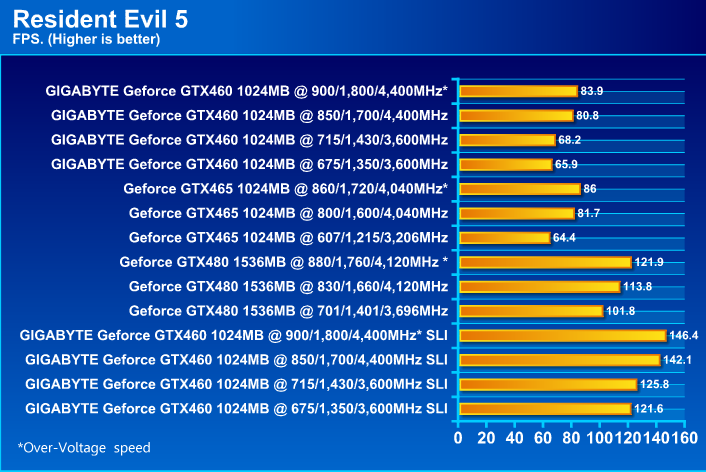
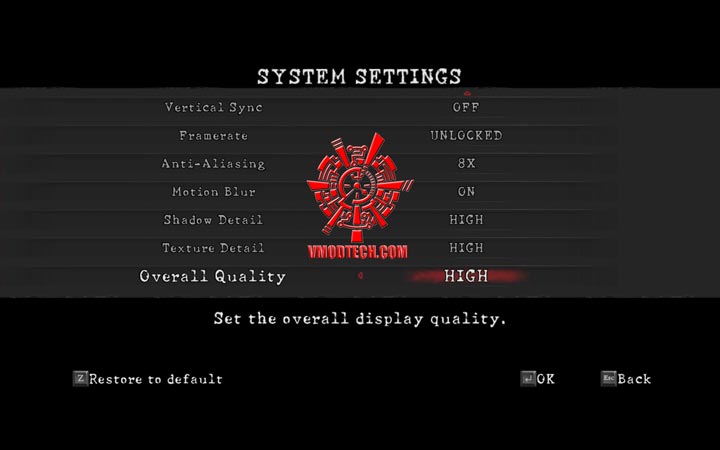
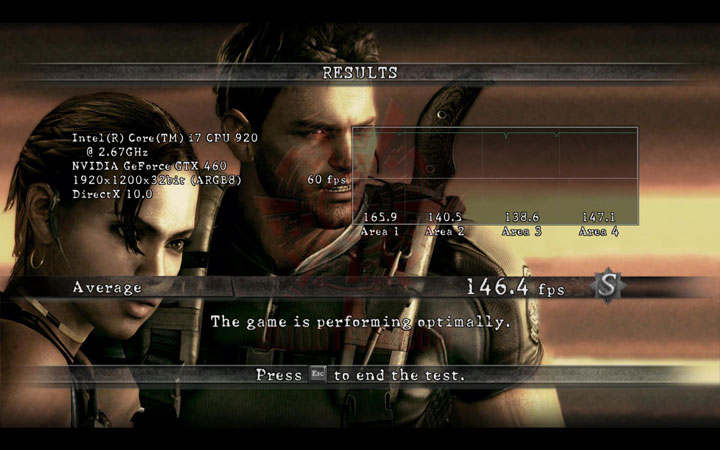
Resident Evil 5 DX10 Benchmark
 .
.
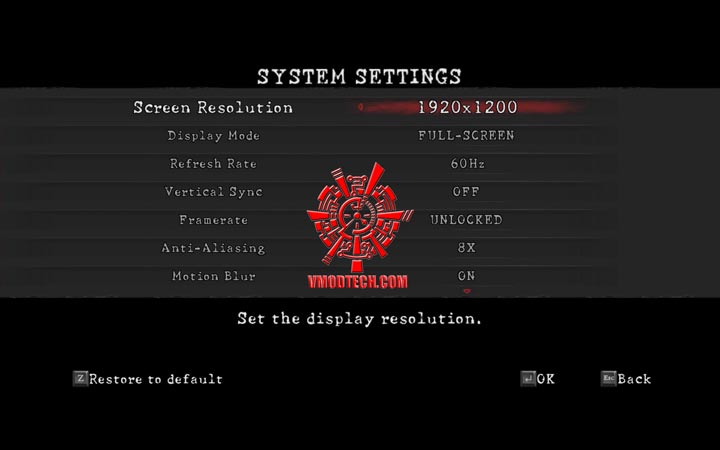
SETTINGS
 .
.
 .
.
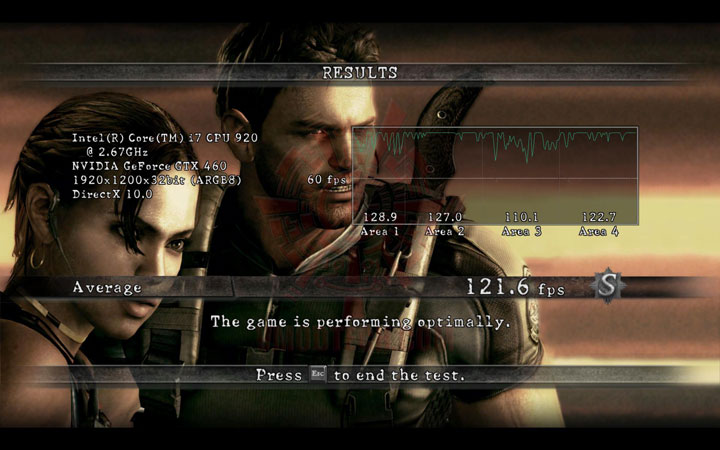
Underclock Speed @ 675/1,350/3,600MHz (NVIDIA Default Speed)
 .
.
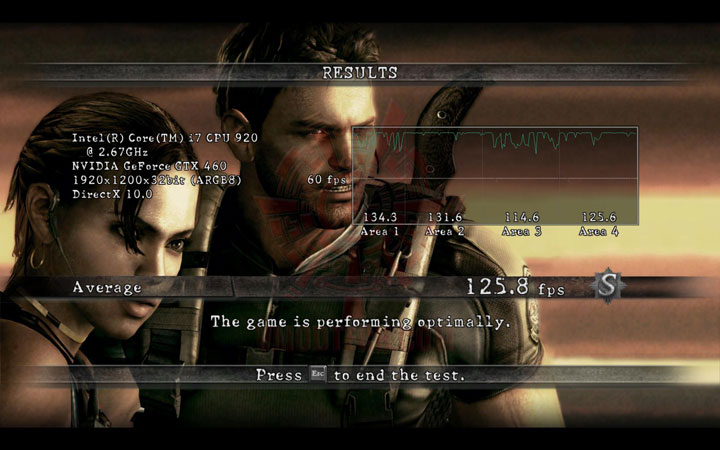
Default Clock Speed @ 715/1,430/3,600MHz
 .
.
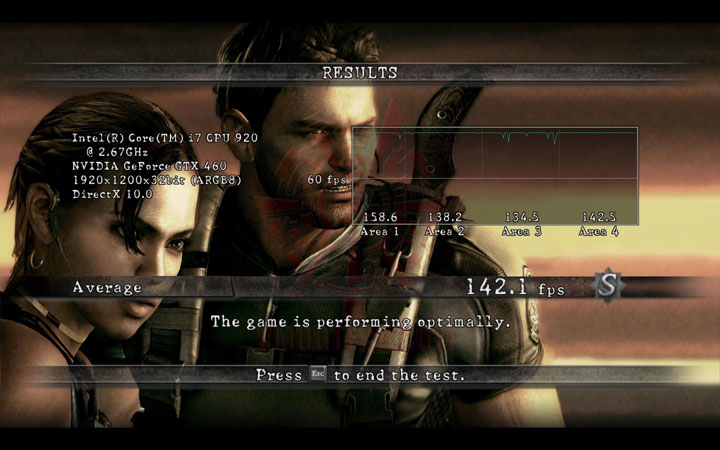
Overclock Speed @ 850/1,700/4,400MHz
 .
.
Overclock Speed @ 900/1,800/4,400MHz(OverVoltage to 1,087mV)
.
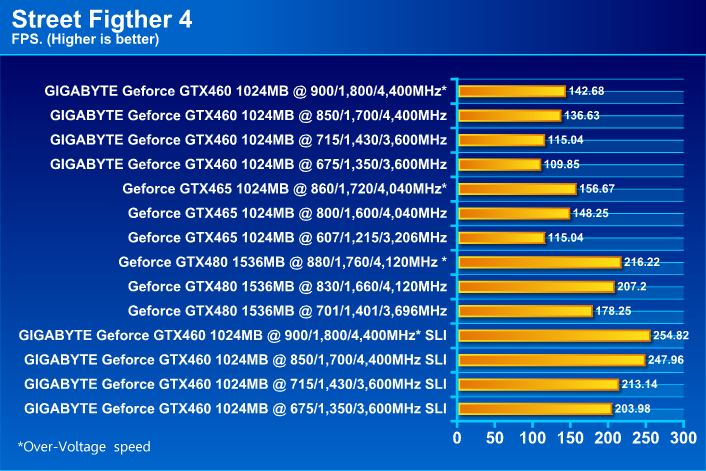
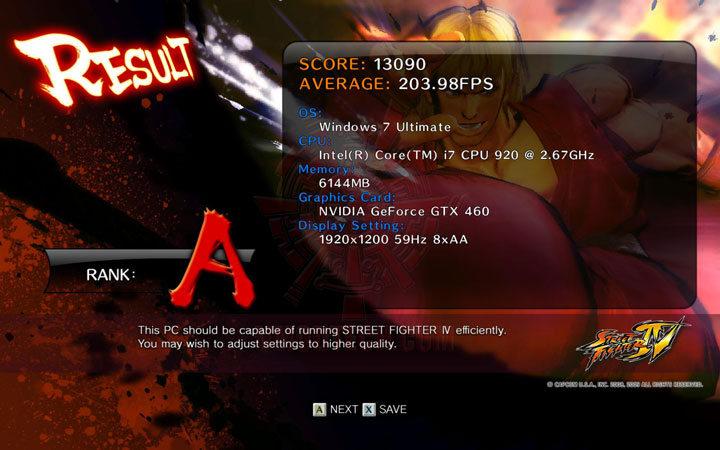
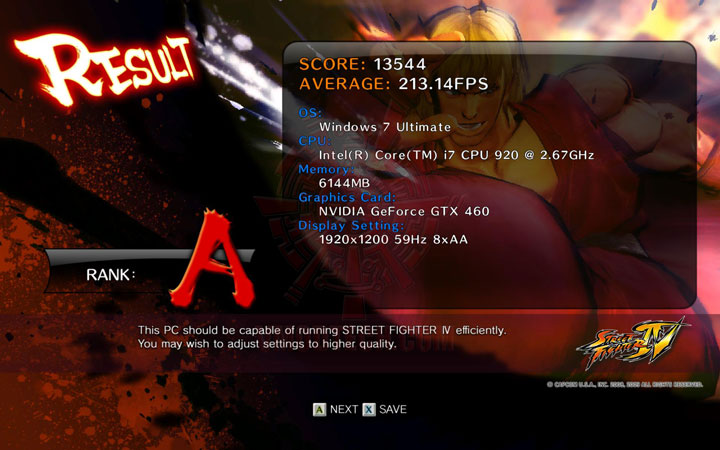
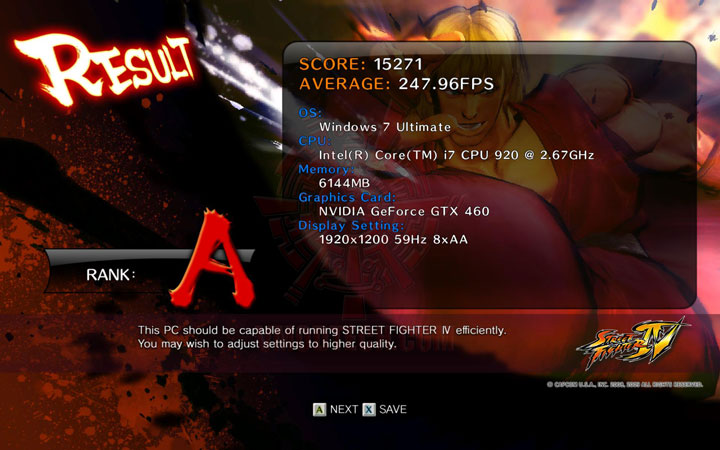
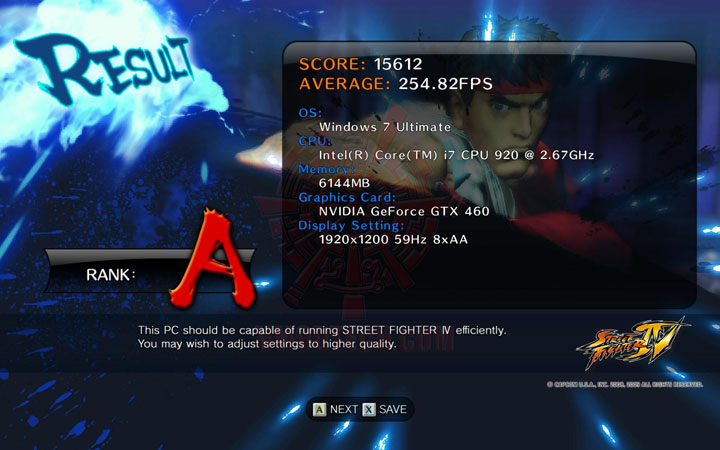
Street Fighter IV Benchmark
 .
.
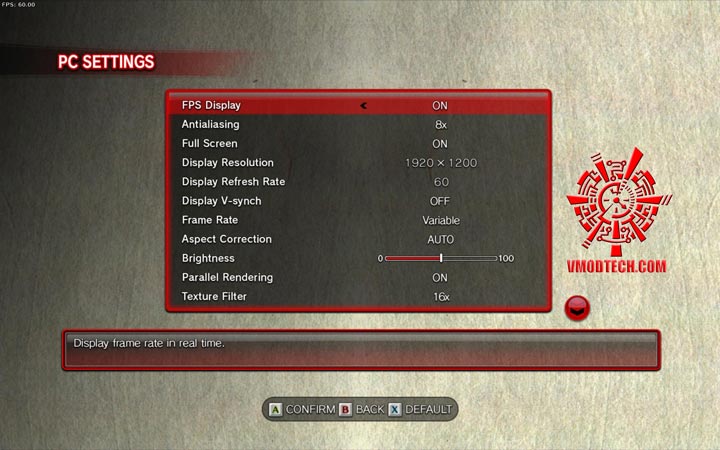
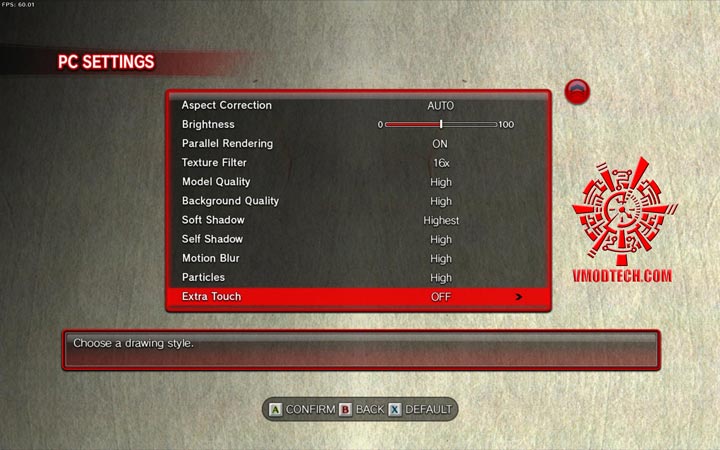
SETTINGS
 .
.
 .
.
Underclock Speed @ 675/1,350/3,600MHz (NVIDIA Default Speed)
 .
.
Default Clock Speed @ 715/1,430/3,600MHz
 .
.
Overclock Speed @ 850/1,700/4,400MHz
 .
.
Overclock Speed @ 900/1,800/4,400MHz(OverVoltage to 1,087mV)
.
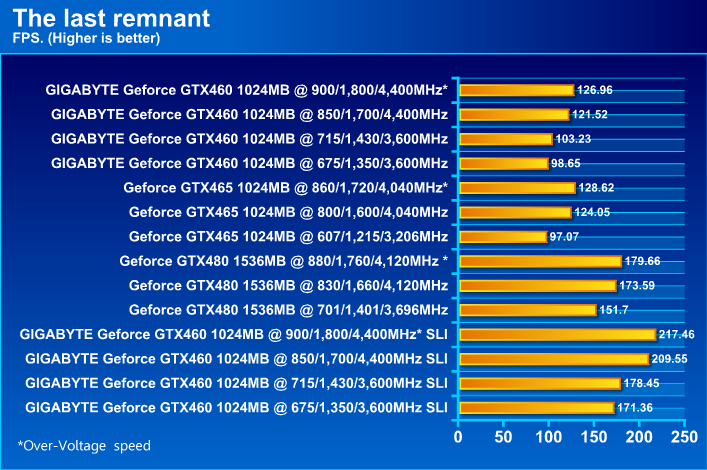
The Last Remnant Benchmark
 .
.
SETTINGS
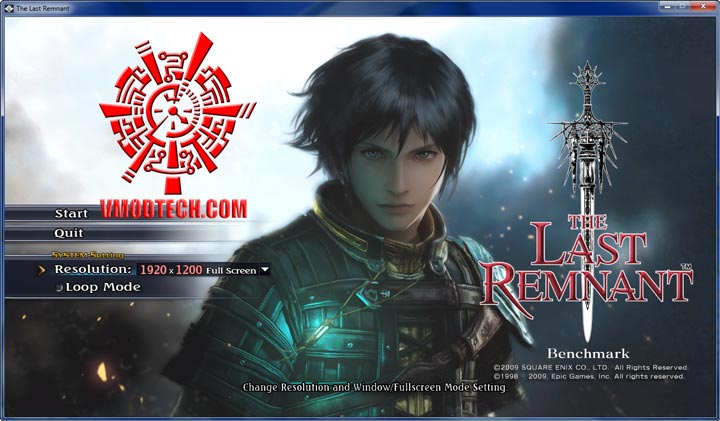
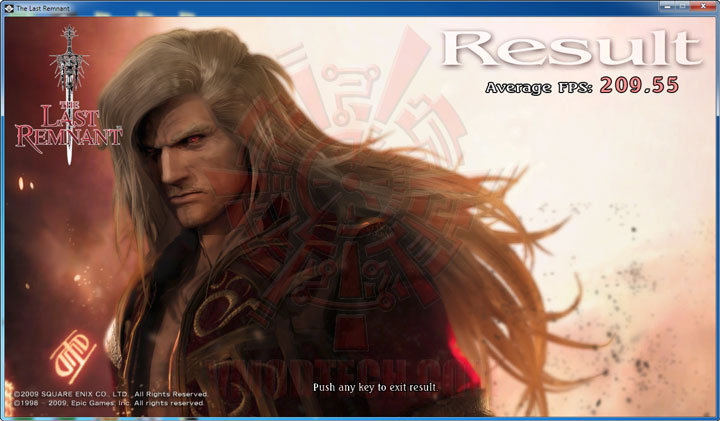
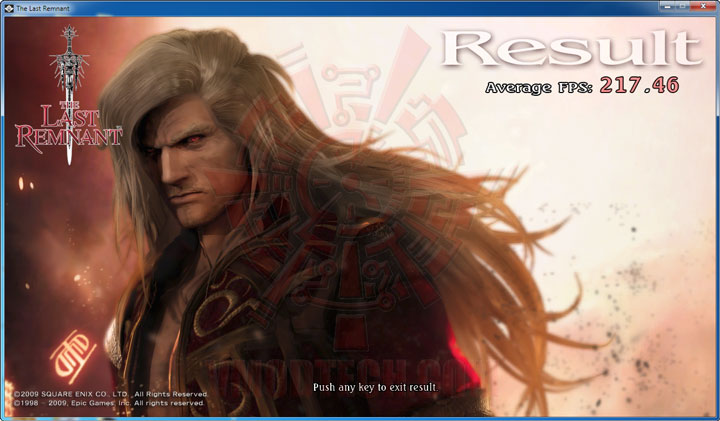
เซตได้แค่ Resolution 1,920X1,200 Full Screen เพียงเท่านั้น สำหรับ Game Benchmark ตัวนี้
.
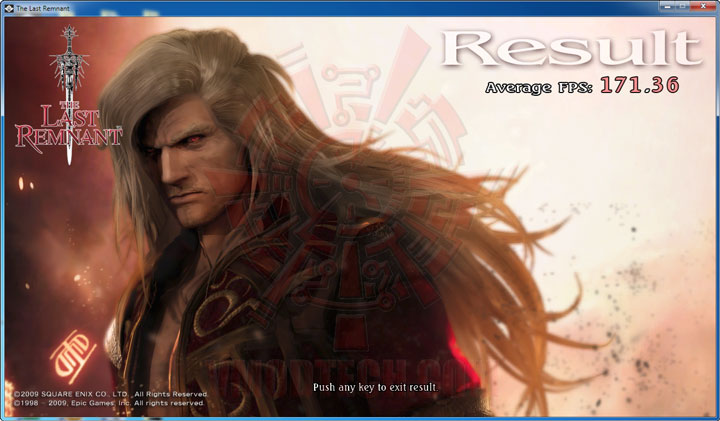
Underclock Speed @ 675/1,350/3,600MHz (NVIDIA Default Speed)
 .
.
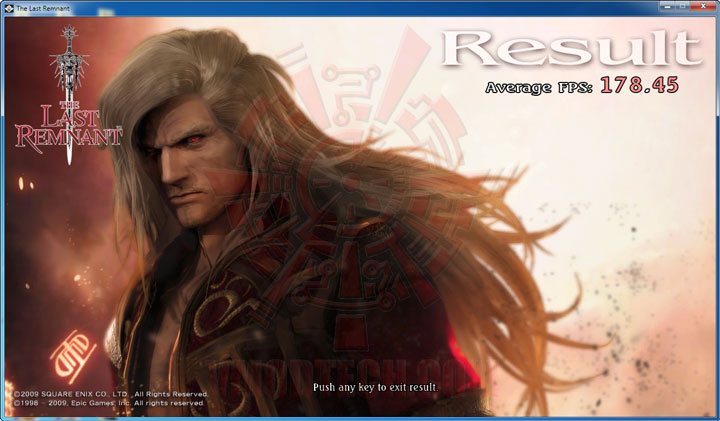
Default Clock Speed @ 715/1,430/3,600MHz
 .
.
Overclock Speed @ 850/1,700/4,400MHz
 .
.
Overclock Speed @ 900/1,800/4,400MHz(OverVoltage to 1,087mV)
.
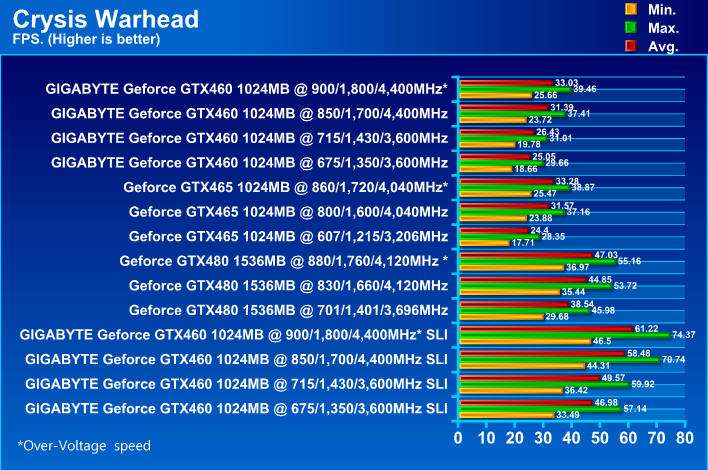
Crysis WARHEAD Benchmark
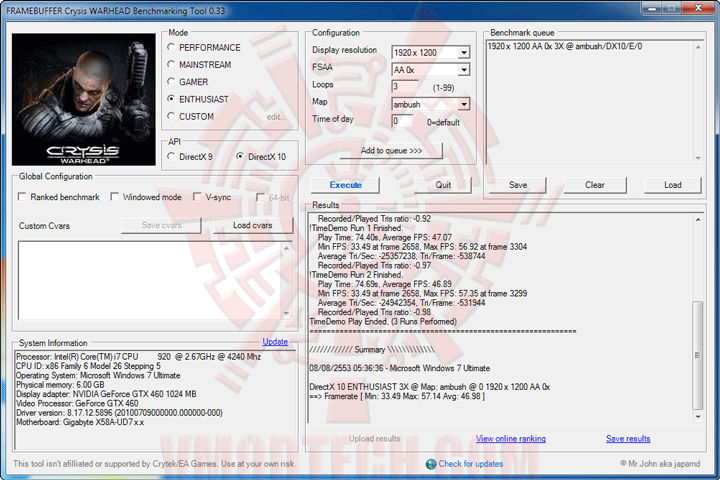
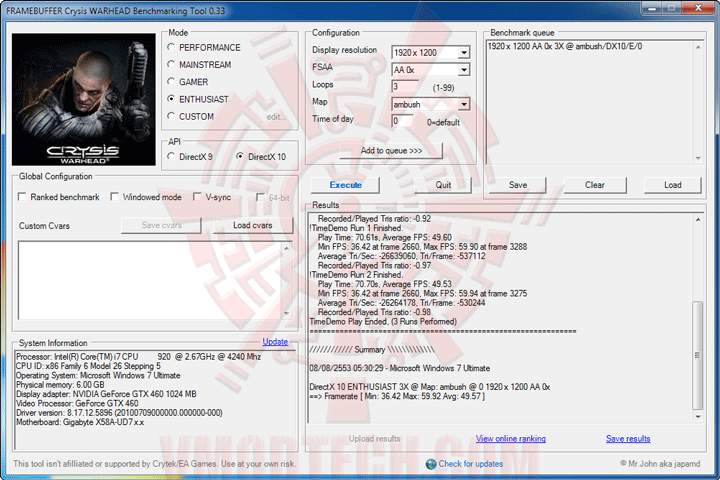
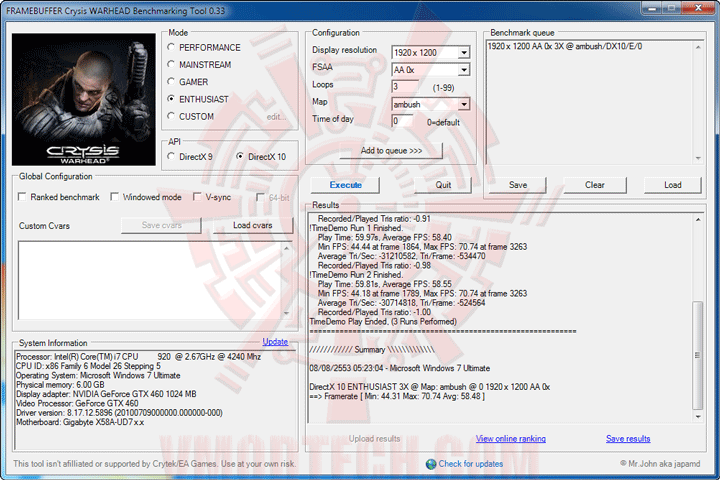
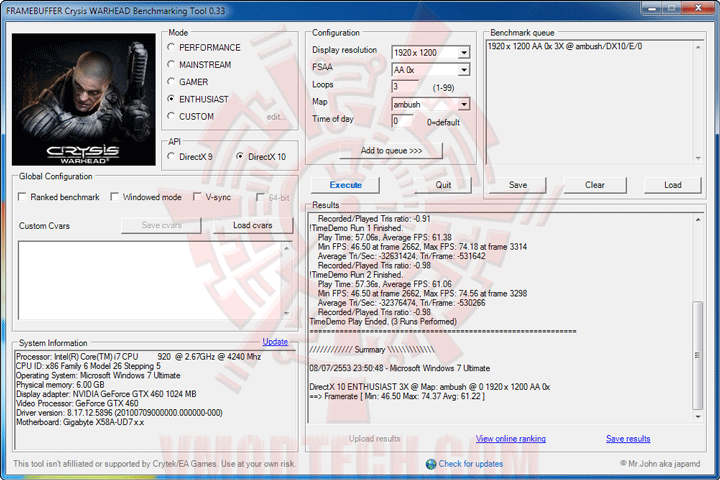
DX10 ENTHUSIAST Mode 1,920X1,200 AA 0X
 .
.
Underclock Speed @ 675/1,350/3,600MHz (NVIDIA Default Speed)
 .
.
Default Clock Speed @ 715/1,430/3,600MHz
 .
.
Overclock Speed @ 850/1,700/4,400MHz
 .
.
Overclock Speed @ 900/1,800/4,400MHz(OverVoltage to 1,087mV)
.
Conclusion
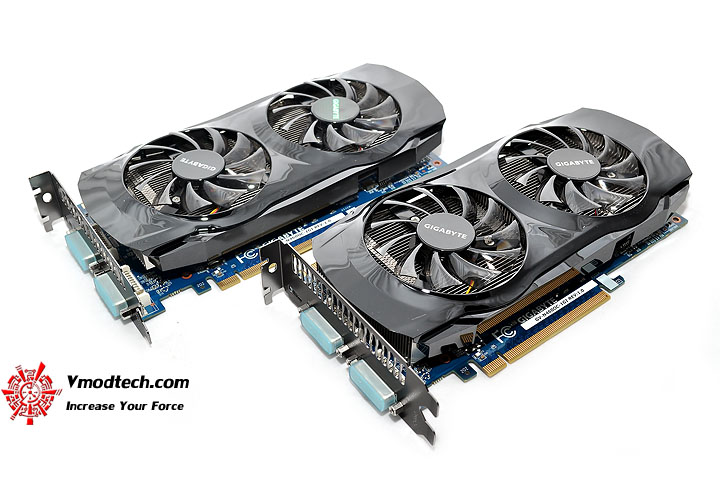
...ก็มาถึงบทสรุปปิดท้ายกันแล้วนะครับสำหรับการ์ด GIGABYTE NVIDIA GeForce GTX 460 1024MB DDR5 ที่มากันในรูปแบบ SLI ซึ่งผลออกมาก็เหนือความคาดหมายของผมเล็กน้อย ที่สามารถกระชากความแรงแซง GTX 480 ไปได้เกือบหมดทุกๆการทดสอบเลยครับ จะแพ้ก็เพียงแค่ FINAL FANTASY XIV Benchmark เพียงตัวเดียวเท่านั้น แรงกันไม่กลัวทั้งเกมส์ในยุคปัจจุบันนี้จนถึงอนาคตเลยครับ PhysX, DX11 Tessellation ก็มากันครบๆไม่ขาดตกบกพร่อง ส่วนเรื่องโอเวอร์คล็อคก็ลากกันได้ไกลพอสมควรจากความเร็วเดิม ลากแล้วก็แรงขึ้นเห็นๆทุกๆการทดสอบแบบไม่มีคะแนนร่วงแต่อย่างใด ซื้อมาอย่าลืมลากกันนะครับ เล่นเดิมๆเดี๋ยวจะขาดทุนแย่ กับราคาขายของการ์ดนี้ที่ประมาณ 7,790บาท (JediCool) ซื้อ 2ตัวราคารวมก็เพียงแค่ 15,580บาท ถูกกว่า GTX 480 อยู่พันกว่าๆถึงสองพันกันเลยครับ แต่ว่ากลับแรงกว่าซะอย่างนั้น น่าสนใจไม่เบาเหมือนกันนะครับเนี่ย และสำหรับวันนี้ผมขอลาไปก่อนแต่เพียงเท่านี้ แล้วพบกันใหม่ในวันพรุ่งนี้ สวัสดีครับ
.



.


